This tut was written May 5th, 2019 for those with a basic knowledge of psp.
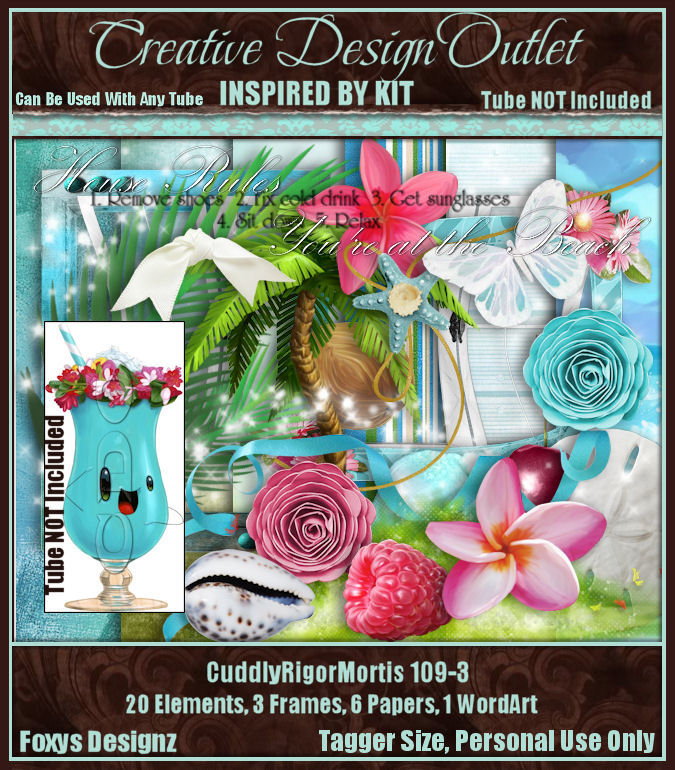
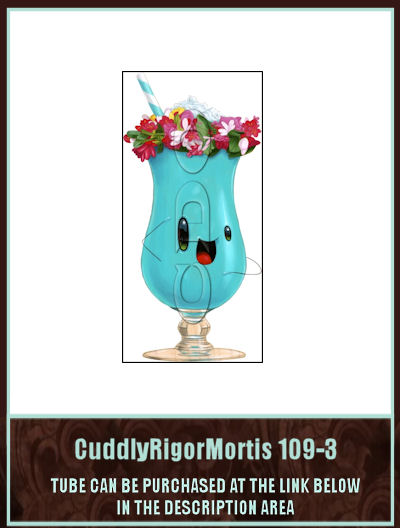
I am using the awesome artwork of "Cuddly Rigor Mortis 109-3" along
with the Inspired kit by Foxy's Designz
with the Inspired kit by Foxy's Designz
The tube is NOT included with the kit.
You need a license to use this tube, do not use without a license.
You can find the tube at CDO HERE
You can find the tube at CDO HERE
I used PSPX...but any of them should work.
Font of choice, I used Amsterdam
Drop shadow is usually V-2 H-2 Black, 50, 5, use what you prefer.
Let's get started
*Remember to add your drop shadow as you go along*
Open a new image 800 x 800
Paste paper 6 into selections, apply your mask,
delete, merge group.
Then paste paper 4, apply the mask, delete, merge group, merge down.
Paste frame 3, resize to 75%, click inside all the windows opening, expand by
5, paste paper 1, invert, delete, select none.
Resize element 9 to 75%, paste off center above the frame layer.
Resize your tube to 75%, paste in front of the tree.
Resize element 15 to 25%, paste at the bottom above the tube on the left,
duplicate, move to the right and below the tube layer.
Paste element 4 below the paper layer on the upper right behind the frame,
duplicate, mirror, move down on the left.
Resize element 6 to 20%, paste under the palm tree where you like, duplicate a
few more times and place under the tree in different areas.
Duplicate one once more, resize larger to 110%, move to the lower right, duplicate
twice more and arrange how you like.
Resize element 7 to 20%, paste at the lower left below the blue flower, duplicate,
mirror.
Resize element 19 to 30%, duplicate a couple of times and place at the bottom
where you like., mirror one or two.
Resize the wordart to 75%, duplicate, merge down, select all, float, defloat, add
a new layer, fill with a color from your tube, move below, merge the top wordart down,
then move to the bottom being on the top layer.
Paste frame 2 on the mask layer and move the flowers to the lower left behind
the window frame, erase most of the ribbon at the top and flowers on the top, duplicate,
mirror at the lower right behind the window, erase anything else that needs it.
Resize element 18 to 65%, paste on the window frame on one side, duplicate, mirror.
Resize element 10 to 25%, paste at the lower left, duplicate twice and move over
a little with each one.
Resize element 16 to 25%, paste below the blue shell on the right, duplicate, mirror,
move below one of the shells on the left.
Resize element 14 to 15%, paste on the blue flower, duplicate, move to the other blue flower.
Resize element 8 to 25%, paste on the left below the light pink flower,
duplicate, mirror.
Paste element 5 above the palm tree on one side, duplicate, mirror.
Resize element 20 to 20%, paste at the lower right below the other shells.
Paste paper 6 into selections, apply your mask,
delete, merge group.
Then paste paper 4, apply the mask, delete, merge group, merge down.
Paste frame 3, resize to 75%, click inside all the windows opening, expand by
5, paste paper 1, invert, delete, select none.
Resize element 9 to 75%, paste off center above the frame layer.
Resize your tube to 75%, paste in front of the tree.
Resize element 15 to 25%, paste at the bottom above the tube on the left,
duplicate, move to the right and below the tube layer.
Paste element 4 below the paper layer on the upper right behind the frame,
duplicate, mirror, move down on the left.
Resize element 6 to 20%, paste under the palm tree where you like, duplicate a
few more times and place under the tree in different areas.
Duplicate one once more, resize larger to 110%, move to the lower right, duplicate
twice more and arrange how you like.
Resize element 7 to 20%, paste at the lower left below the blue flower, duplicate,
mirror.
Resize element 19 to 30%, duplicate a couple of times and place at the bottom
where you like., mirror one or two.
Resize the wordart to 75%, duplicate, merge down, select all, float, defloat, add
a new layer, fill with a color from your tube, move below, merge the top wordart down,
then move to the bottom being on the top layer.
Paste frame 2 on the mask layer and move the flowers to the lower left behind
the window frame, erase most of the ribbon at the top and flowers on the top, duplicate,
mirror at the lower right behind the window, erase anything else that needs it.
Resize element 18 to 65%, paste on the window frame on one side, duplicate, mirror.
Resize element 10 to 25%, paste at the lower left, duplicate twice and move over
a little with each one.
Resize element 16 to 25%, paste below the blue shell on the right, duplicate, mirror,
move below one of the shells on the left.
Resize element 14 to 15%, paste on the blue flower, duplicate, move to the other blue flower.
Resize element 8 to 25%, paste on the left below the light pink flower,
duplicate, mirror.
Paste element 5 above the palm tree on one side, duplicate, mirror.
Resize element 20 to 20%, paste at the lower right below the other shells.
Add any other elements that you would like, make it your own.
Always adjust everything before you merge your tag.
Always adjust everything before you merge your tag.
Once happy, close off any background you had.
Crop your tag to get rid of any stray edges, merge visible.
Resize, sharpen, add your Copyright and name.
That's it
Hope you enjoyed doing my tut.