Tuesday, February 4, 2020

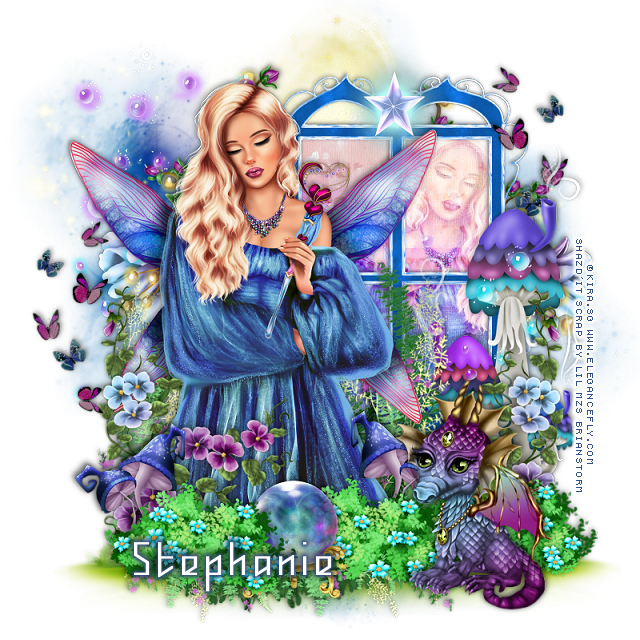
PTU Vanessa


This tut was written Feb. 4th, 2020, for those with a basic knowledge of psp.
I am using the awesome tube by Kira.SG
Tube is called "Vanessa"
She comes in different colors to choose from.
 You need a license to use this art, please do not use without a license.
You can find this tube at Elegancefly store HERE

I used PSPX...but any of them should work.
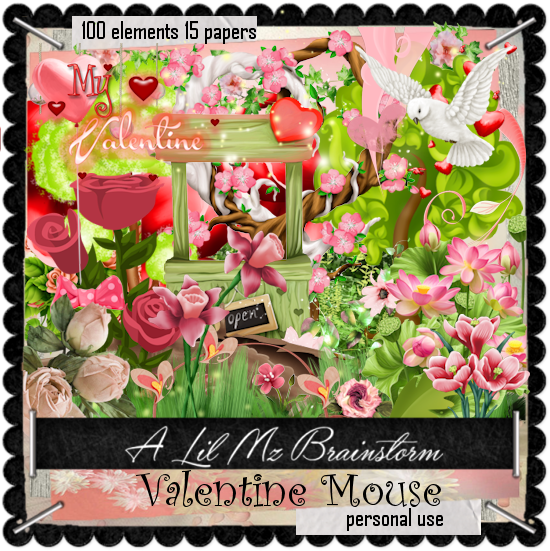
PTU kit Valentine Mouse by LMB at HERE or HERE
Mask of choice I used DFly Mask 0038 HERE
Check out the rest of the blog HERE

Font of choice,  I used Whisperer

Drop shadow is usually V-2 H-2 Black, 50, 5, use what you prefer.
Let's get started
*Remember to add your drop shadow as you go along*

Open a new image 800 x 800
Paste paper 10, apply your mask, delete, merge group.

Resize your tube to 40%, paste.

Resize element 18 to 75%, paste below the tube to the right.
Click in each opening with your magic wand, expand by 5, 
paste paper 3, invert, delete, keep selected, mirror your tube that you 
resize, paste below the window, delete, select none.

Change the opacity to Overlay or one you prefer.
Go back to the mask, duplicate, move to the right behind the frame.

Paste element 20, paste at the bottom below the tube to the left, duplicate,
mirror.
Resize element 67 to 80%, paste behind the tube.
Resize element 91 to 50%, paste at the bottom to the right above the tube.
Resize element 52 to 50%, paste behind the dragon to the right,
duplicate, move over toward the center, duplicate again move to the left.

Resize element 47 to 25%, paste below the flower bush by the dragon,
duplicate, mirror, move to the left.
Resize element 48 to 75%, paste on the right above the window frame.

Resize element 6 to 40%, mirror, paste on the left, duplicate, mirror,
move up on the right below the tall mushroom.

Resize element 53 to 25%, paste at the bottom between the flower bushes.
Resize element 1 to 25%, paste at the top on the window.

Resize element 88 to 65%, paste on the left above the tube at the bottom,
duplicate, mirror, move above the tall mushroom.
Paste element 62 above the tall mushroom.
Paste element 73 on the left below the paper layer of the window, 
duplicate, mirror.

Add any other elements you would like, make it your own.
Always remember to adjust the elements before merging to get them like you like.

Once happy with your tag, close off any background, crop your tag to make
sure there are no stray edges, merge visible, resize first.
Add your copyrights and name.

That's it
Hope you enjoyed doing my tut.

Monday, February 3, 2020

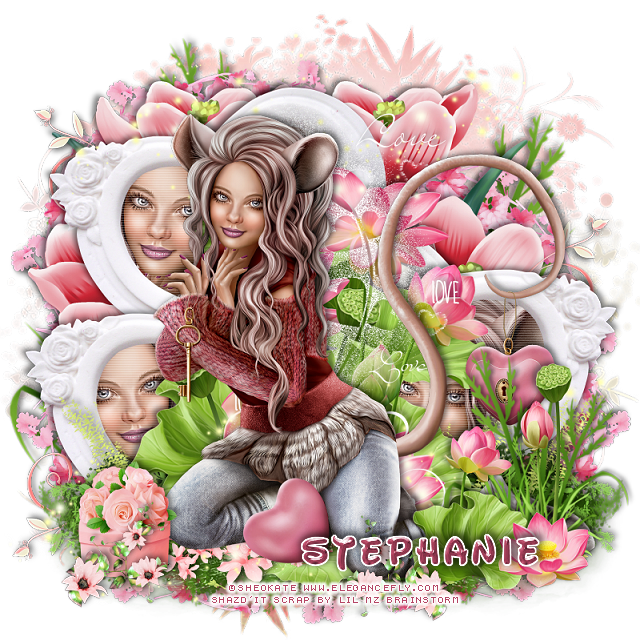
PTU Valentine Mouse


This tut was written Feb. 3rd, 2020, for those with a basic knowledge of psp.
I am using the awesome tube by Sheokate
Tube is called "Valentine Mouse"
She comes in different colors to choose from.
 You need a license to use this art, please do not use without a license.
You can find this tube at Elegancefly store HERE

I used PSPX...but any of them should work.
PTU kit Valentine Mouse by LMB at HERE or HERE
Mask of choice I used DD Mask NFM_2 HERE
Check out the rest of the blog HERE

Font of choice,  I used Waltograph

Drop shadow is usually V-2 H-2 Black, 50, 5, use what you prefer.
Let's get started
*Remember to add your drop shadow as you go along*

Open a new image 800 x 800
Paste paper 3, apply your mask, delete, merge group.

Resize your tube to 35%, paste about center.
Paste element 1 behind the tube.

Resize element 17 to 15%, paste at the upper left, duplicate, move down more
 on the left, duplicate, mirror, move down on the right.
Click inside each frame with your magic wand, expand by 5, paste paper 6,
invert, delete, keep selected.

Resize your tube to 50%,  paste in each of the frames, mirror the tube for 
the lower left frame, delete, all, select none.
Go to Effects, Texture Effects, Blinds with these settings
Width 3, Opacity 25, both boxes checked, color white, apply to 
the tubes in the frame.

Resize element 2 to 50%, paste at the lower right above the tube.
Paste element 6 on the mask layer at the upper left, duplicate, mirror.

Resize element 95 to 50%, paste at the lower left below the flower, 
duplicate, mirror, flip, move up on the right behind the flower,
duplicate, mirror, move where you like at the upper left.

Resize element 10 to 75%, paste on the right below the flowers, duplicate, 
mirror, move up, duplicate, move down more on the left,
duplicate again, resize to 75%, move below the top flower on the right.

Paste element 8 at the bottom below the tall flower behind the tube to one
side, duplicate, mirror, erase any of the part on the other faces you 
don't want.

Resize element 38 to 50%, paste at the bottom below the tube.
Resize element 89 to 25%, paste at the lower left above the tube.
Paste element 55 at the lower left on the mask layer, duplicate, mirror,
duplicate, flip, duplicate, mirror, adjust behind the frames.

Paste element 44 below the tube at the top, duplicate, move to the bottom,
duplicate, move over more.
Paste element 37 behind the tube to the right.
Resize element 42 to 25%, paste at the lower left above the box, duplicate,
mirror, move by the tube on the right.

Add any other elements you would like, make it your own.
Always remember to adjust the elements before merging to get them like you like.

Once happy with your tag, close off any background, crop your tag to make
sure there are no stray edges, merge visible, resize first.
Add your copyrights and name.

That's it
Hope you enjoyed doing my tut.
Sunday, February 2, 2020

FTU My Valentine


This tut was written Feb 2nd, 2020 for those with a basic knowledge of psp.
I am using the awesome artwork of  ©Alicia Mujica
You need a license to use this tube, do not use without a license.
You can find this tube at Alicia Mujica store  HERE

I used PSPX...but any of them should work.
(Was PTU now FTU)
PTU My Valentine by Designz by Shelly 
 HERE  
Mask of choice I used DD Mask NFM_2 HERE
Check out the rest of the blog HERE
Filter
xero-Bad Dream

Font of choice,  I used Insta Story

Drop shadow is usually V-2 H-2 Black, 50, 5, use what you prefer.
Let's get started
*Remember to add your drop shadow as you go along*

Open a new image 800 x 800
Resize paper 10 to 85%, paste, apply your mask, delete, merge group.

Resize frame element 122 to 75%, paste.
Click inside with your magic wand, expand by 5, paste paper 5, invert,
delete, keep selected.
Resize your tube to 75%, paste, delete, select none.
Apply the xero filter-Bad Dream.

Resize your tube to 35%, paste on the left above the frame.

Resize element 19 to 45%, paste on the lower right above the frame.
Resize element 103 to 35%, mirror, paste on top of the vase.
Resize element 29 to 35%, mirror, paste at the lower left above the tube.

Resize element 1 to 40%, paste below the tube.
Resize element 30 to 30%, paste below the heart boxes.
Resize element 97 to 35%, paste at the lower left behind the tube, duplicate,
mirror, move back by the tube on the right above the books,
duplicate once more, move over by the vase.

Resize element 6 to 25%, paste at the lower right above the flower.
Resize element 2 to 25%, paste on top of the jar of hearts.
Resize element 9 to 35%, free rotate to the left at 15 degrees, paste below 
the jar of hearts.
Resize element 15 to 30%, paste at the lower left above the heart boxes.

Resize element 25 to 15%, paste on top of the heart boxes.
Resize element 10 to 15%, paste at the bottom, duplicate, mirror.
Resize element 8 to 20%, paste at the lower right.

Resize element 91 to 50%, paste at the lower left below all the other 
elements, duplicate, mirror.
Resize element 32 to 20%, paste at the bottom being on the top layer now,
duplicate, move to the left.
Resize element 51 to 20%, paste on the lower left below the heart boxes,
duplicate, mirror, move above the vase and below the flower.

Resize element 75 to 25%, paste at the bottom below the candy hearts.
Resize element 79 to 15%, free rotate to the right at 10 degrees, paste
on the left under the heart of the tube.

Resize element 102 to 50%, paste behind the tube on the left,
duplicate, mirror, move below the paper layer of the frame on the right,
duplicate, move down more on the right, duplicate, mirror.

Resize element 139 to 65%, paste at the top on the frame below the tube,
add a dark red drop shadow on this.

Add any other elements you would like, make it your own.
Always remember to adjust the elements before merging to get them like you like.

Once happy with your tag, close off any background, crop your tag to make
sure there are no stray edges, merge visible, resize first.
Add your copyrights and name.

That's it
Hope you enjoyed doing my tut.