Friday, June 10, 2022

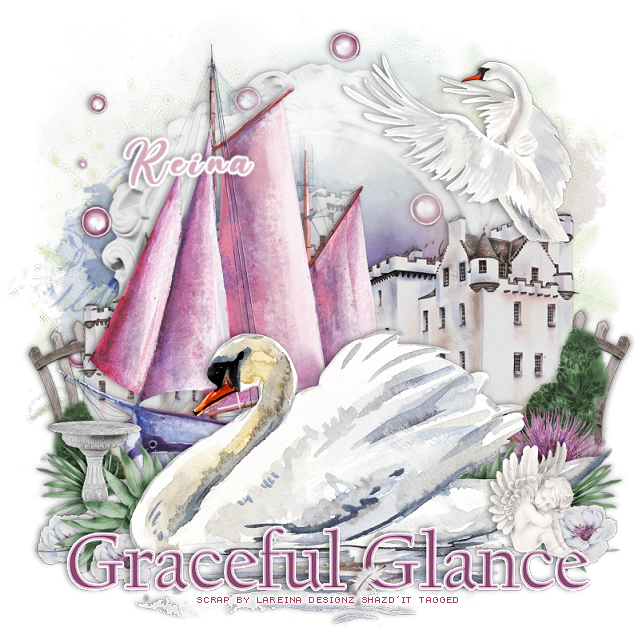
PTU Graceful Glance


This tut was written June 10th, 2022 for those with a basic knowledge of psp. 

I am using the Gorgeous mini kit Graceful Glance by LaReina Designz
Everything in this tag is from this kit, no tube was used.
You can find this Gorgeous kit at CDO HERE  


I used PSP2020...but any of them should work.
Gorgeous kit with 35 elements, 8 papers, 4 frames and 1 wordart
Mask of choice, I used RD Mask 964 HERE
Check out the rest of the Blog HERE

Font of choice, I used Beautiful Day

Drop shadow is V -1 H -4, 50, 10, or use what you prefer.
Let's get started
*Remember to add your drop shadow as you go along*

Open a new image 800 x 800, paste paper 3, apply your mask, delete, 
merge group. 
Paste element 35, resize larger to 105%.
Resize frame 1 to 75%, paste.
Resize element 34 to 85%, paste to the left.

Resize element 8 to 60%, paste on the right, duplicate, resize to 85%, move to 
the left below the first castle, duplicate, mirror, move above the second one and 
down more.
Paste element 29 to the left a bit.
Paste element 4 below the boat.

Resize element 14 to 50%, paste on the left behind the castle, duplicate, mirror.
Paste element 3 above the boat on the water.
Paste element 32 toward the top above the frame.
Resize element 2 to 50%, mirror, paste at the upper right.

Paste the wordart at the bottom being on the top layer, add a white background.
Resize element 33 to 40%, paste at the lower right below the swan, duplicate,
mirror.
Resize element 12 to 40%, paste below the green on the right, erase any stem 
showing below.
Resize element 25 to 25%, paste on the wordart at the right.
Resize element 1 to 10%, paste at the bottom on the wordart.
Resize element 27 to 25%, paste at the lower left below the other greenery, duplicate, mirror.
Resize element 9 to 30%, paste on the left between the greenery.
Resize element 5 to 15%, paste by the cherub, duplicate once or twice more 
and move where you like.

Add any other elements that you would like, make it your own.
Always readjust your mask and elements how you like them before you
 merge your tag, resize, sharpen.

Crop your tag to be sure no shadows or lines are on the edges.
 Then add your copyright and name.
That's it

Hope you enjoyed doing my tut.   

Thursday, June 9, 2022

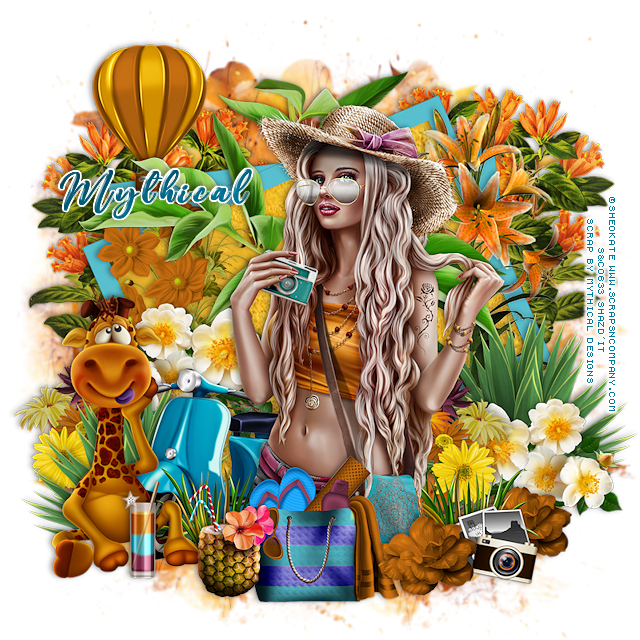
PTU The Tourist


This tut was written June 9th, 2022 for those with a basic knowledge of psp. 

I am using the awesome artwork of ©Sheokate
2 Tubes are included with the kit
You need a license to use this tube, do not use without a license.
Use the license where you purchased the kit.

I used PSP2020...but any of them should work.
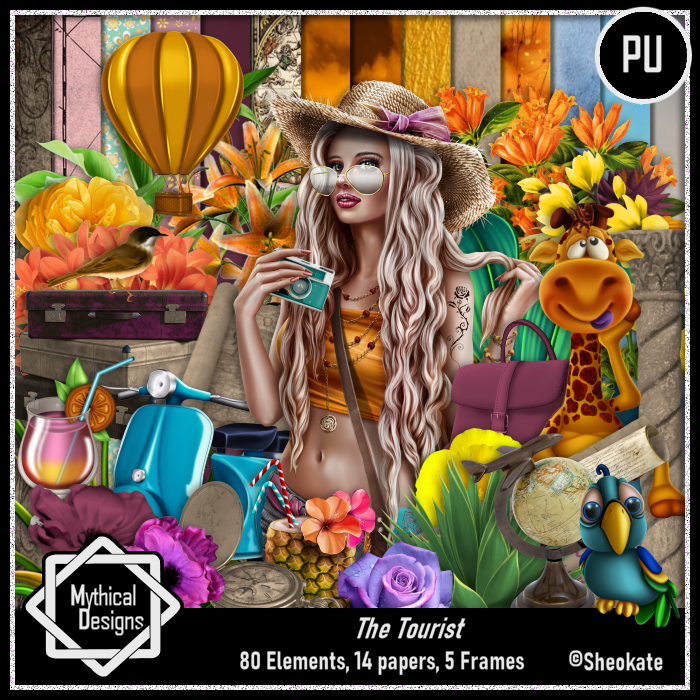
PTU kit The Tourist by Mythical Designs HERE  HERE HERE
Beautiful kit with 80 elements, 14 papers and 5 frames and 
2 Tubes by Sheokate
Check out her blog HERE
Mask of choice, I used RD 935 HERE
Check out the rest of the Blog HERE

Font of choice, I used Beautiful Day

Drop shadow is V -1 H -4, 50, 10, or use what you prefer.
Let's get started
*Remember to add your drop shadow as you go along*

Open a new image 800 x 800, paste paper 11, apply your mask, delete, 
merge group.
Resize frame 5 to 75%, paste, click inside with your magic wand, expand by 5,
paste paper 9, invert, delete, select none.

Resize your tube to 40%, paste above the frame off center.

Resize element 56 to 50%, paste on the right below the tube, duplicate, mirror,
move down on the left.
Resize element 11 to 50%, paste on the right above the green plant, duplicate, 
mirror, move below the green plant.

Paste element 42 behind the frame above the frame.
Resize element 31 to 50%, paste at the lower left below the tube.
Resize element 28 to 75%, paste at the lower left above the scooter.
Resize element 27 to 30%, paste at the bottom below the tube by the scooter, duplicate,
mirror.

Resize element 33 to 30%, paste at the bottom above the tube.
Paste element 66 below the paper layer of the frame on the right, duplicate, mirror.
Paste element 13 on the right above the frame.

Resize element 40 to 40%, paste at the bottom below the pineapple drink.
Resize element 43 to 40%, paste on the lower left behind the green plant, duplicate,
mirror, move above the flowers and behind the tube some.

Resize element 38 to 40%, paste at the upper left.
Resize element 17 to 25%, paste at the lower right, duplicate, move over and behind
the grass.
Resize element 70 to 65%, paste on the left above the frame.
Resize element 72 to 15%, paste at the lower right between the flowers.
Resize element 35 to 25%, paste at the lower left by the animal.

Add any other elements that you would like, make it your own.
Always readjust your mask and elements how you like them before you
 merge your tag, resize, sharpen.

Crop your tag to be sure no shadows or lines are on the edges.
 Then add your copyright and name.
That's it

Hope you enjoyed doing my tut.   
Friday, June 3, 2022

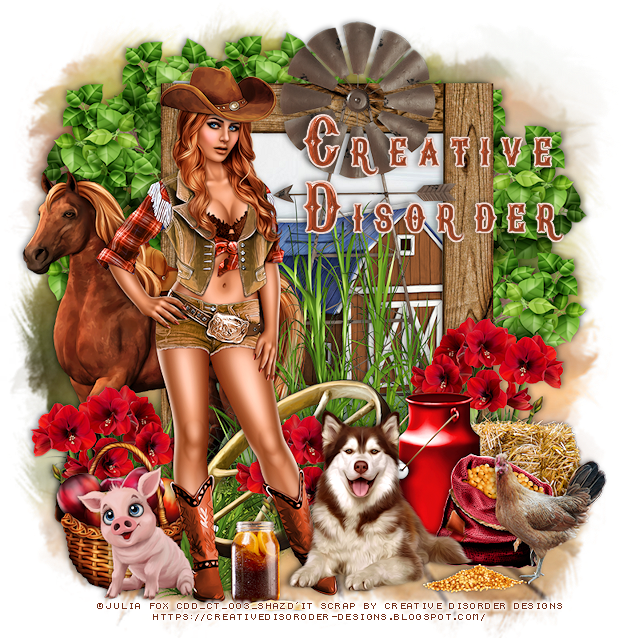
PTU Western Life


This tut was written June 3rd, 2022 for those with a basic knowledge of psp. 

I am using the awesome artwork of Julia Fox
This tube is included in this kit in 3 colors
You need a license to use this tube, do not use without a license.
Use your license from the store you bought the kit if it has a tube in the kit.

I used PSP2020...but any of them should work.
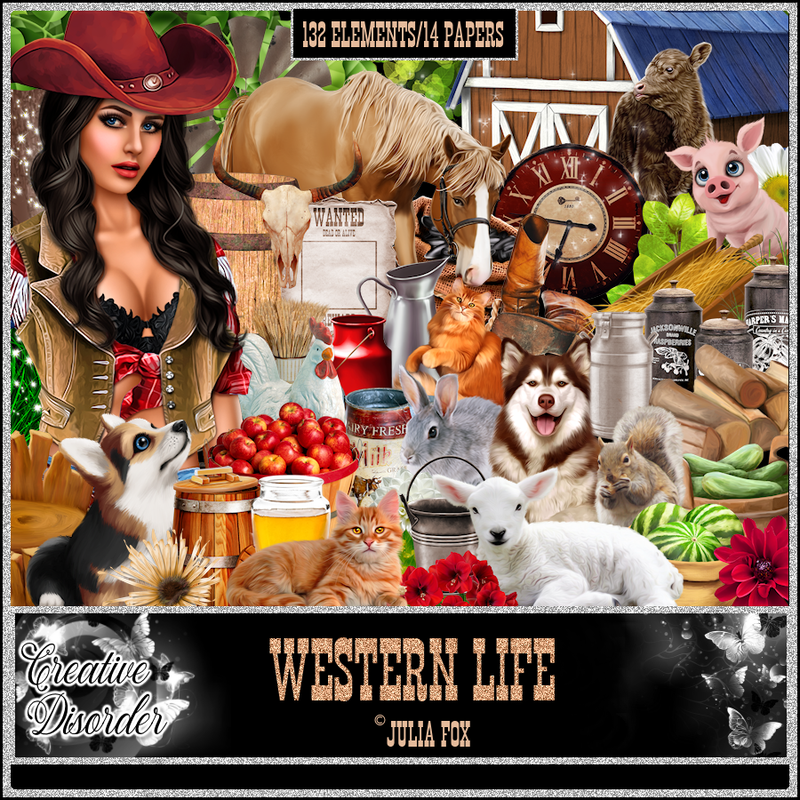
PTU kit Western Life by Creative Disorder HERE or HERE
Beautiful Western kit with 132 elements and 14 papers, tube included
Check out her blog HERE
Mask of choice, I used WSL Mask 488 HERE

Font of choice, I used New Age Vintage

Drop shadow is V -1 H -4, 40, 10, or use what you prefer.
Let's get started
*Remember to add your drop shadow as you go along*

Open a new image 800 x 800, paste paper 13, apply your mask, delete, 
merge group.

Resize element 75 to 60%, paste to the right a bit, click inside with your magic wand, 
expand by 5, paste paper 5, invert, delete, select none.
Resize element 100 to 40%, mirror, paste inside the frame and up a little.
Resize element 51 to 70%, paste at the bottom above the frame.

Resize element 107 to 50%, paste on the left above the frame.
Resize your tube to 40%, paste on the left above the grass.
Resize element 33 to 60%, paste above the frame layer about center.
Resize element 62 to 40%, paste behind the tube on the grass.

Resize element 115 to 30%, paste on the left, duplicate, mirror. duplicate again,
move back to the center above the wheel and behind the tube some.
Resize element 129 to 30%, paste at the lower right.
Resize element 50 to 30%, paste at the bottom above the tube.
Resize element 110 to 60%, paste on the left below the paper layer of the frame,
duplicate, mirror.

Resize element 127 to 25%, paste at the lower left below the tube.
Resize element 78 to 25%, paste on the right behind the milk can.
Resize element 67 to 25%, paste at the lower right above the milk can.

Resize element 13 to 15%, paste at the bottom by the chicken.
Resize element 5 to 25%, paste at the lower right behind the chicken.
Resize element 99 to 25%, paste at the lower left above the tube.
Resize element 123 to 20%, paste at the bottom by the foot of the tube.

Add any other elements that you would like, make it your own.
Always readjust your mask and elements how you like them before you
 merge your tag, resize, sharpen.

Crop your tag to be sure no shadows or lines are on the edges.
 Then add your copyright and name.
That's it

Hope you enjoyed doing my tut.