*Remember to add your drop shadow as you go along*
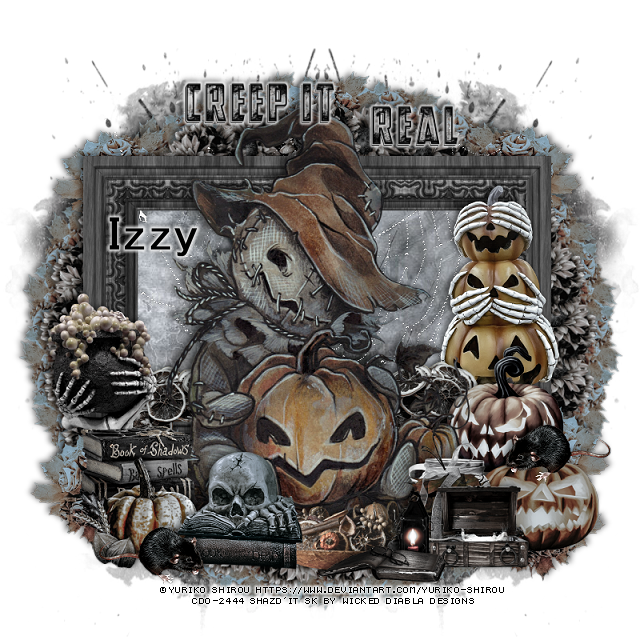
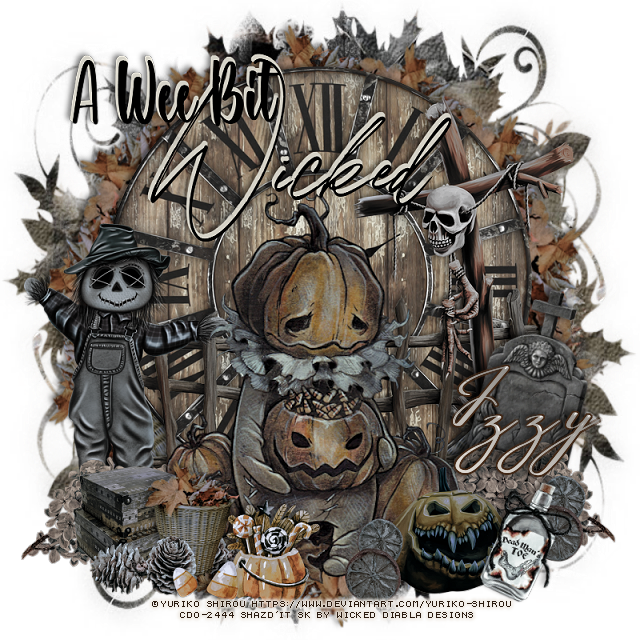
Open a new image 800 x 800, paste paper 2, apply your mask, delete, merge group.
Resize frame 1 to 65%, paste, click inside with your magic wand, expand by 5,
paste paper 3, invert, delete, select none.
Resize element 19 to 20%, apply Mura Meister Copies-Encircle first 3 numbers
on 25, 75, 65 move below the paper layer of the frame.
Resize element 15 to 30%, apply Mura Meister Copies to this, same
numbers, move below the first circle.
Resize your tube to 65%, paste above the frame.
Resize element 9 to 40%, paste on the lower right above the tube.
Resize element 8 and 20 to 30%, paste on the lower left.
Resize element 5 and 6 to 30%, paste on the right below the tube.
Resize element 2 to 30%, mirror, paste on the left below the skull.
Resize element 13 to 40%, paste at the bottom below the other elements.
Resize element 21 to 40%, paste on the left above the frame.
Resize element 22 to 50%, paste on the right above the frame.
Resize element 15 to 30%, paste at the lower left below the books, duplicate,
mirror, move below the pumpkins.
Duplicate both, move to the top below the top circle.
Paste element 24 below the frame layer, sharpen, duplicate, sharpen.
Resize element 10 to 30%, paste at the bottom being on the top layer.
Resize element 23 to 25%, duplicate, mirror one, paste where you like on the pumpkins
and by the books.
Resize element 11 to 25%, paste at the bottom right.
Resize element 12 to 25%, paste on the right below the pumpkins, duplicate, mirror.
Resize the wordart to 20%, separate it and move to the top how you like, add a
gradient glow.