Friday, April 28, 2023

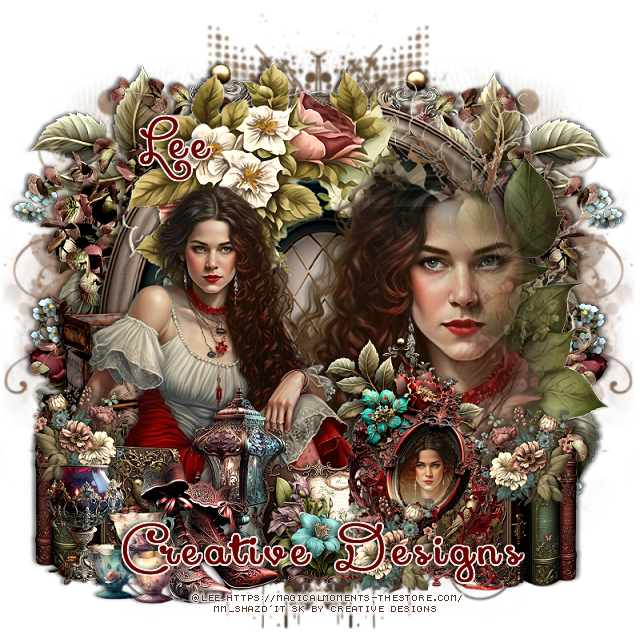
PTU FemmeFatale


This tut was written April 28th, 2023 for those with a basic knowledge of psp. 

I am using the awesome artwork of @Lee
"The tube is included with the kit"
You need a license to use this tube, do not use without a license.
Read TOU how to use with a license

I used PSP2020...but any of them should work.
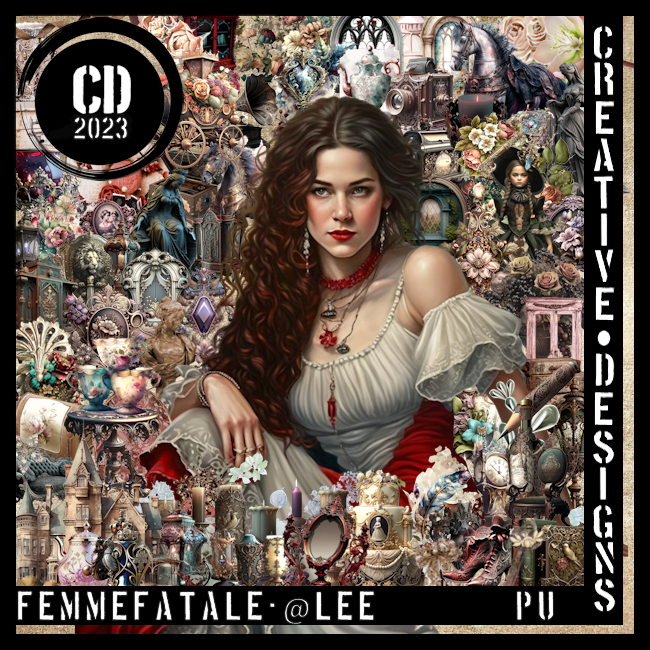
PTU FemmeFatale by Creative Designs  HERE  
This awesome kit 
has 80 elements, 10 papers and a beautiful tube @Lee
This kit is no longer available at this time
Mask of Choice, I used Vivienne's Digital Tagging Mask 7 and 18 HERE
Check out the rest of the blog HERE

Font of choice, I used Xiomara

Drop shadow is V -1 H -4, 50, 10, Black or use what you prefer.
Let's get started
*Remember to add your drop shadow as you go along*

Open a new image 800 x 800, select all, new layer, paste paper 4, apply 
your mask, delete, merge group, duplicate, mirror.
Paste element 22 on the left on the mask, duplicate, mirror.

Resize element 27 to 90%, paste.
Paste element 34 on the window.

Paste element 80 on the left below the window, erase the stem at the top,
duplicate, mirror.
Paste your tube on the right on the flowers and window, apply mask 18,
delete, merge group. 
You might have to try this a couple of times to get the tube how you like.

Resize your tube to 45%, mirror, paste on the left.

Resize element 11 to 35%, paste above the tube.
Resize element 6  to 30%, paste on the left by the lamp.
Resize element 3 to 30%, paste on the left behind the shoes, duplicate, mirror.
Resize element 2 to 40%, paste to the right, click on the mirror with your 
magic wand, resize your tube to 25%. paste in the mirror, invert, delete, select
none, change the blend mode to Overlay or one you prefer.

Resize element 17 to 40%, paste on the left behind the tube.
Resize element 44 to 25%, paste on the left.
Resize element 8 to 25%, paste at the bottom left above the shoes.
Resize element 22 to 40%, paste behind the tube to the right.
Resize element 28 to 25%, paste at the bottom below the mirror.
Resize element 74 to 20%, paste at the bottom above the mirror, duplicate, 
move up on the right on the books, duplicate, mirror.

Add any other elements you would like, make it your own.
Crop your tag to be sure no shadows or lines are on the edges.
 Then add your copyright and name.
That's it

Hope you enjoyed doing my tut.     

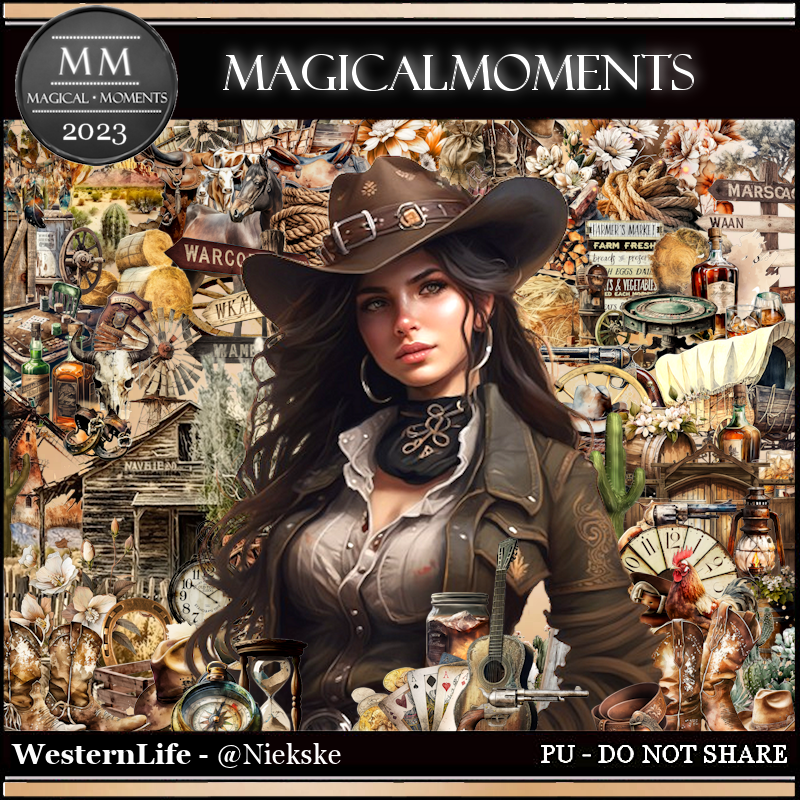
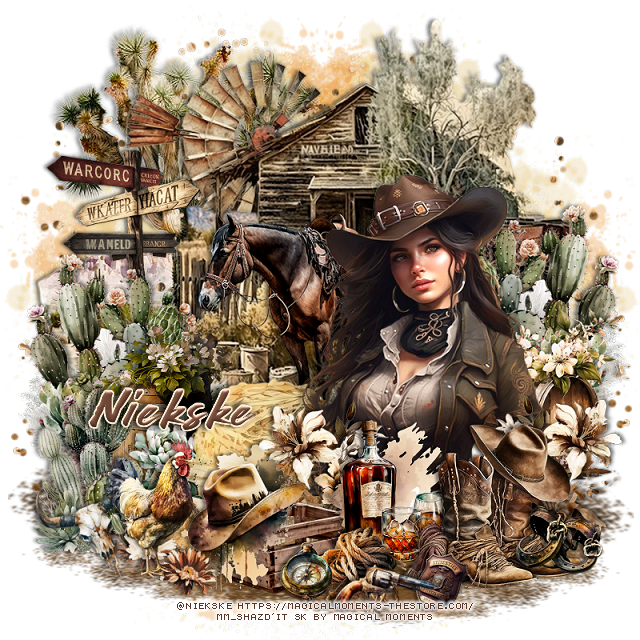
PTU Western Life


This tut was written April 28th, 2023 for those with a basic knowledge of psp. 

I am using the awesome artwork of @Niekske
 Tube is included with the kit
You need a license to use this tube, do not use without a license.
Read the TOU about the license

I used PSP2020...but any of them should work.
PTU Western Life by Magical Moments HERE  
Awesome Steampunk kit with 100 elements, 10 papers and 
a tube by @Niekske

Font of choice, I used Wild West

Drop shadow is V -1 H -3, 50, 6, Black or use what you prefer.
Let's get started
*Remember to add your drop shadow as you go along*

Open a new image 800 x 800, paste element 100 to one side, duplicate, mirror,
merge down.
Resize element 94 to 75%, paste on the mask on the upper left, duplicate,
mirror, duplicate a couple more times, move where you like.

Paste element 43 on the upper left.
 Resize element 7 to 75%, paste at the upper right.
Resize element 16 to 85%, paste at the top between the cactus element and 
the building element.
Resize element 10 to 50%, paste on the right above the building, duplicate,
mirror.

Resize element 35 to 35%, paste on the left behind the cactus.
Resize element 63 to 55%, paste in front of the building.
Resize element 38 to 45%, paste in front of the horse.
Resize element 14 to 50%, paste on the left below the hay bale.

Resize element 9 to 40%, paste on the left above the hay bale.
Resize element 18 to 40%, paste on the right above the cactus.

Resize your tube to 40%, paste above the hay bale to the right.

Paste element 71, flip, move to the bottom below the other elements to the right, 
duplicate, mirror, adjust more once the elements are placed.
Resize element 54 to 25%, paste on the left of the tube, duplicate, move to the right.

Resize element 28 to 30%, paste at the bottom being on the top layer.
Resize element 3 to 40%, paste on the crate.
Resize element 37 to 25%, paste on the lower left below the hat and crate.
Resize element 58 to 30%, mirror, paste at the lower left above the hat.

Resize element 31 to 30%, paste at the bottom above the crate.
Resize element 68 to 40%, paste on the right above the drinks.
Resize element 62 to 15%, paste at the bottom right on the boots.
Resize element 49 to 15%, paste at the bottom.
Resize element 27 to 15%, paste at the bottom.

Resize element 84 to 25%, free rotate to the left at 25, paste at the bottom left
behind the chicken.
Resize element 87 to 20%, free rotate to the left at 25, paste at the bottom left
behind the chicken.
Resize element 30 to 15%, paste at the bottom by the crate.
Resize element 19 to 20%, free rotate to the right at 20, paste at the bottom by
the badge.

Add any other elements you would like, make it your own.
Crop your tag to be sure no shadows or lines are on the edges.
 Then add your copyright and name.
That's it

Hope you enjoyed doing my tut.    
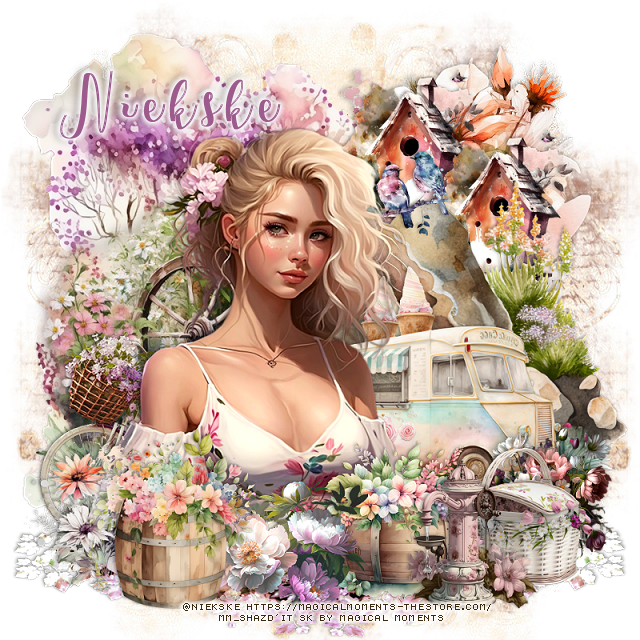
PTU Sunshine


This tut was written April 27th, 2023 for those with a basic knowledge of psp. 

I am using the awesome artwork of @Niekske
 Tube is included with the kit
You need a license to use this tube, do not use without a license.
Read the TOU about the license

I used PSP2020...but any of them should work.
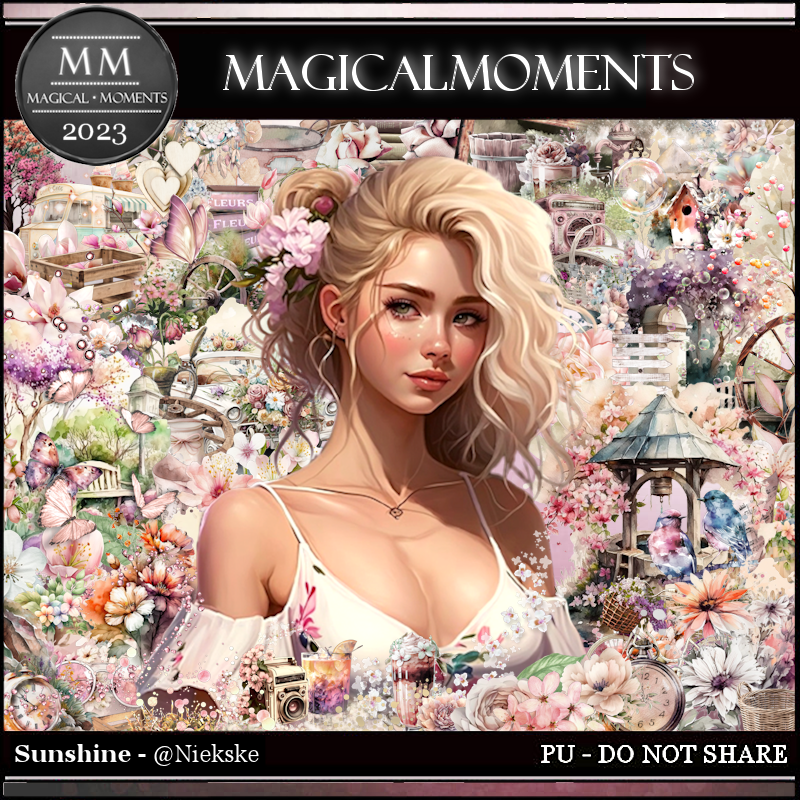
PTU Sunshine by Magical Moments HERE  
Awesome Steampunk kit with 100 elements, 10 papers and 
a tube by @Niekske
Mask of choice, I used Miz Teeque's Mask 292 HERE
Check out the rest of the blog HERE

Font of choice, I used Spring Time

Drop shadow is V -1 H -3, 35, 10, Black or use what you prefer.
Let's get started
*Remember to add your drop shadow as you go along*

Open a new image 800 x 800, paste paper 10, apply your mask, delete, 
merge group, duplicate, merge down, duplicate, mirror.

Paste element 16 to the left.
Paste element 3 below element 16 at the upper right.
Resize element 6 to 75%, paste to the right and down a little.
Resize element 29 to 85%, paste on the left above the rock.

Resize the tube to 40%, paste  off center to the left.

Resize element 1 to 50%, paste on the left above the tube.
Resize element 8 to 40%, paste on the left above the flowers.
Resize element 64 to 40%, paste at the lower right.

Resize element 34 to 75%, mirror, paste on the right behind the tube.
Resize element 7 to 35%, paste behind the hydrant.
Resize element 48 to 70%, paste behind the tube on the left.

Resize element 55 to 40%, paste on the right behind the flower barrel and
hydrant.
Resize element 26 to 45%, paste at the bottom below the top barrel flower.
Resize element 35 to 50%, paste at the upper right behind the rock, duplicate,
move over a little.
Resize element 38 to 30%, paste on the right on the rock in front of the 
birdhouse.
Resize element 25 to 35%, paste at the bottom right behind the basket.
Resize element 93 to 90%, paste at the bottom on the bottom layer to the left,
duplicate, mirror.

Add any other elements you would like, make it your own.
Crop your tag to be sure no shadows or lines are on the edges.
 Then add your copyright and name.
That's it

Hope you enjoyed doing my tut.