Tuesday, April 2, 2024

PTU Grace and Poise


 This tut was written April 2nd, 2024 for those with a basic knowledge of psp. 

I am using the awesome tube by ©Verymany

The tube is called Steampunk 126
You need a license to use this tube, please do not use without a license.
You can find the tube at VMT HERE

I used PSP2020...but any of them should work.
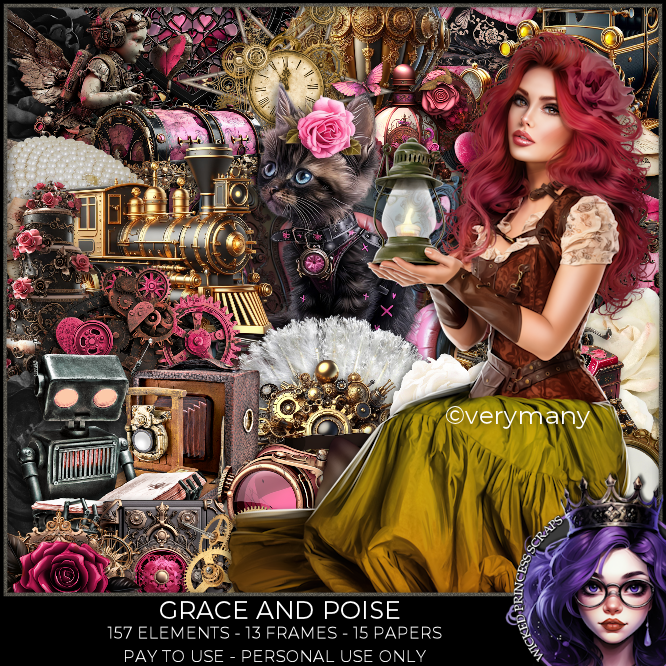
PTU Scrap Grace and Poise by Wicked Princess Scraps  HERE HERE
"Tube is NOT included"
You can find all Wicked Princess Scraps kits  HERE
Mask of choice, I used Miz Teeques  Mask 186 HERE
Check out the rest of the blog HERE

 Font of choice, I used MCF Stonehead

Drop shadow as you go is V -2 H -4, 50, 10, or use what you prefer.
Let's get started
*Remember to add your drop shadow as you go along*

Open a new image 800 x 800, paste paper15, apply your mask, move
up to the right, duplicate, move down on the left.

Paste element 91.
Resize your tube to 35%, mirror, paste.

Resize element 89 to 35%, paste at the bottom left above the tube.
Resize element 93 to 35%, paste at the bottom above the flower.
Resize element 101 to 65%, paste at the upper right behind the tube, click
inside with the magic wand, resize element 2 to 85%, paste, invert, delete.
Resize element 1 to 25%, paste behind the flowers on the left.
Paste element 98 behind the frame below the flower.

Resize element 164 to 45%, paste on the frame on the right.
Resize element 158 to 50%, mirror, paste behind the tube on the right.
Resize element 142 to 40%, paste at the bottom above the tube.
Resize element 160 to 25%, paste at the upper left, duplicate, move down.
Resize element 161 to 25%, paste at the upper right.

Resize element 109 to 25%, paste at the bottom.
Resize element 95 to 15%, paste at the bottom.
Resize element 90 to 40%, paste behind the camera.
Resize element 3 to 20%, mirror, paste at the bottom left.
Resize element 17 to 20%, paste at the bottom.
Paste element 49 above the mask layer.

Add any other elements that you would like, make it your own.
Always readjust your mask and elements how you like them before you
 merge your tag, resize, sharpen.

Crop your tag to be sure no shadows or lines are on the edges.
 Then add your copyright and name.
That's it

Hope you enjoyed doing my tut

Tag for Shani    



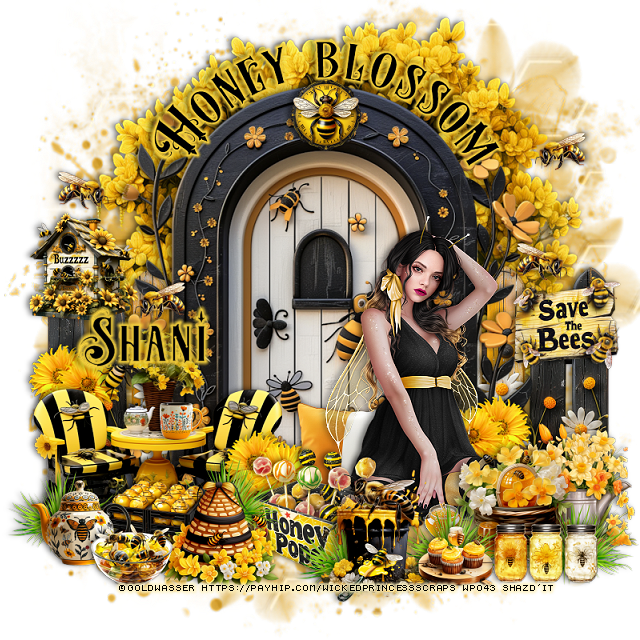
PTU Honey Blossom


This tut was written April 2nd, 2024 for those with a basic knowledge of psp. 

I am using the awesome tube by ©Goldwasser

The tube is included in the kit
You need a license to use this tube, please do not use without a license.
Use the license from the store you bought the kit

I used PSP2020...but any of them should work.
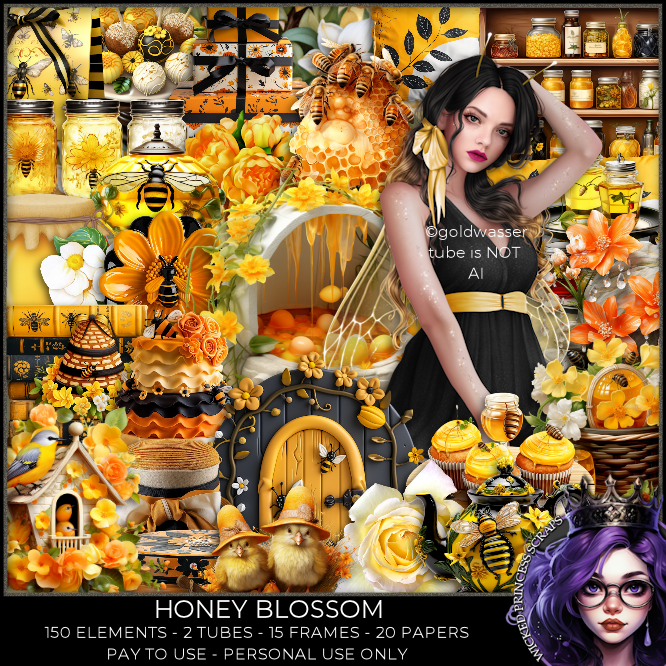
PTU Scrap Honey Blossom by Wicked Princess Scraps  HERE HERE
"Tube is NOT included"
You can find all Wicked Princess Scraps kits  HERE
Mask of choice, I used RD Mask 964 HERE
Check out the rest of the blog HERE

 Font of choice, I used MCF Stonehead

Drop shadow as you go is V -2 H -4, 50, 10, or use what you prefer.
Let's get started
*Remember to add your drop shadow as you go along*

Open a new image 800 x 800, paste paper 15, apply your mask.

Resize element 147 to 85%, paste.
Resize element 159 to 50%, paste behind the door on the right,
duplicate, mirror.
Paste element 10 behind the fence layer.

Resize the tube to 50%, paste to the right.

Resize element 27 to 50%, paste on the bottom left.
Resize element 16 to 25%, paste at the bottom above the tube.
Resize element 35 to 25%, mirror, paste at the bottom right above the fence.
Resize element 21 to 25%, paste at the bottom above the tube to the left.
Resize element 22 to 25%, paste above the honey pops box.
Resize element 18 to 20%, paste on the right on the fence, erase the long rope.

Resize element 30 to 20%, paste on the left on the fence.
Resize element 29 to 25%, paste at the bottom by the honey pops.
Resize element 17 to 10%,  duplicate a few times, mirror, move around.
Resize element 20 to 20%, paste at the bottom left.
Resize element 7 to 20%, paste at the bottom left.
Resize element 1 to 30%, paste behind the tube.

Resize element 12 to 15%, paste at the bottom.
Resize element 23 to 15%, paste on the top of the door.
Resize element 15 to 15%, paste at the bottom right.
Resize element 32 to 15%, paste at the bottom.
Resize element 33 to 20%, paste at the bottom right.
Resize element 116 to 20%, duplicate a few times and paste between 
some of the elements.
Resize element 106 to 25%, duplicate a few times and move around the 
other elements how you like.
Resize element 160 to 10%, paste on the table.

Add any other elements that you would like, make it your own.
Always readjust your mask and elements how you like them before you
 merge your tag, resize, sharpen.

Crop your tag to be sure no shadows or lines are on the edges.
 Then add your copyright and name.
That's it

Hope you enjoyed doing my tut


PTU Thoughts of Spring


 This tut was written April 1st, 2024 for those with a basic knowledge of psp. 

 I am using the beautiful tube ©Julia Fox
and AI kit by Bella Caribeña 
The tube is included in the kit, use your license where you bought
the kit
Read the TOU on how to credit your tags 

I used PSP2020...but any of them should work.
PTU Scrap Thoughts of Spring by Bella Caribena  HERE 
The kit contains one tube by Julia Fox
It has 141 elements, 13 papers and 2 mask. This kit is for personal use Only
Check out the rest of her store HERE

Font of choice, I used Sea Balance

Drop shadow as you go is V -2 H 4, 50, 10, or use what you prefer.
Let's get started
*Remember to add your drop shadow as you go along*

Open a new image 800 x 800, paste mask 1 on the left, duplicate, mirror.

Resize element 10 to 55%, paste, click inside with the magic wand,
paste mask 1, invert, delete.
Paste element 12 on the left behind the frame, duplicate, mirror, 
erase the part showing behind the mask in the frame.

Resize element 73 to 75%, mirror, paste on the right above the frame, 
erase the frame part showing behind.
Duplicate the mask move to the right behind the well, move below the mask,
erase any parts showing in the frame.

Resize the tube to 17%, paste on the right above the well.

Resize element 71 to 75%, paste on the left below the well.
Paste element 50 at the bottom below the well.
Paste element 46 at the bottom below the rocks, duplicate, mirror, 
duplicate again, move up behind the well and below the frame.

Resize element 45 to 50%, paste behind the tube.
Resize element 13 to 40%, paste at the bottom above the tube.
Resize element 16 to 30%, paste on the left below the tube.
Resize element 28 to 30%, paste between the baskets.
Resize element 27 to 30%, paste on the bottom right below the basket.
Resize element 1 to 20%, paste at the bottom.
Resize element 4 to 35%, paste on the right above the tube.

Resize element 6 to 35%, paste on the left behind the basket.
Resize element 2 to 40%, paste on the left being on the top layer.
Resize element 38 to 35%, mirror, paste at the upper left.
Resize element 66 to 35%, paste on the left above the bridge, duplicate, move
to the right behind the tube.
Resize element 77 to 50%, paste on the left below the bridge, duplicate,
move to the right.
Resize element 18 to 50%, paste at the top below the balloon.

Add any other elements you would like, resize.
Crop your tag to be sure no shadows or lines are on the edges.
 Then add your copyright and name.
That's it

Hope you enjoyed doing my tut