Wednesday, October 2, 2024

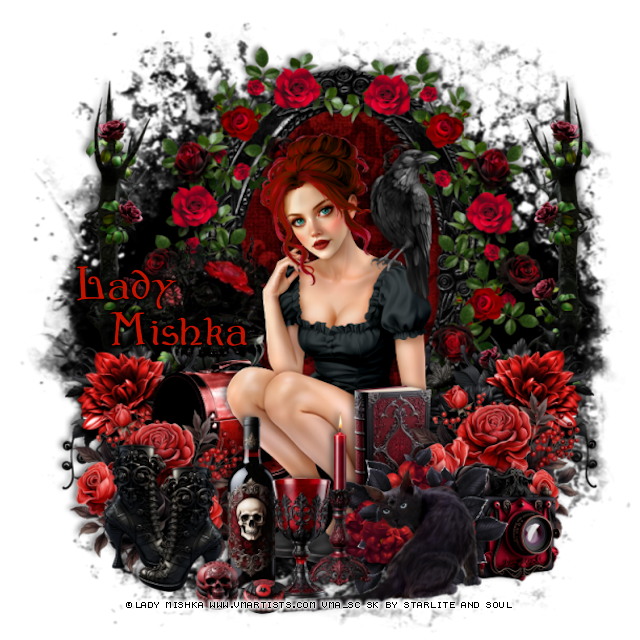
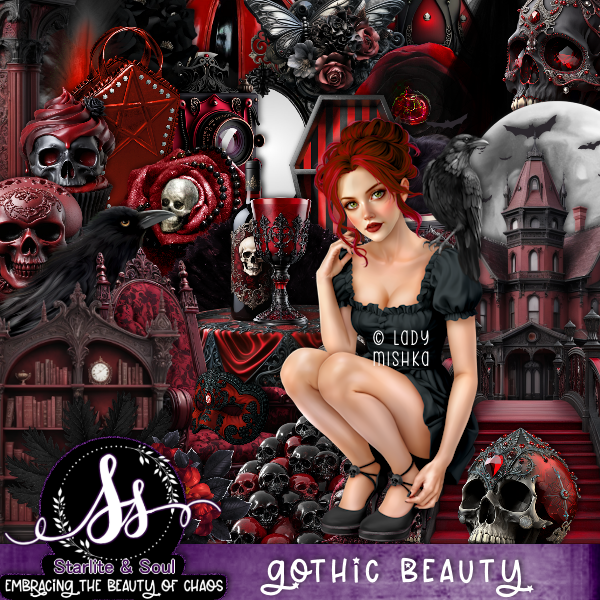
PTU Gothic Beauty


This tut was written October 2nd, 2024 for those with a basic knowledge of psp. 

I am using the Awesome tube by © Lady Mishka

Tube is called Milena
You need a license to use this tube, please do not use without a license
You can find this tube at VMA HERE

I used PSP2020...but any of them should work.
PTU Scrap Gothic Beauty by Starlite and Soul  HERE
You can find all Starlite and Soul kits  HERE

Font of choice, I used bu Wicked

Drop shadow as you go is V -2 H 4, 40, 10, or use what you prefer.
Let's get started
*Remember to add your drop shadow as you go along*

Open a new image 800 x 800

Resize frame 4 to 75%, paste, click inside with the magic wand, paste paper
8, invert, delete.
Paste element 163 below the frame.
Resize element 102 to 90%, paste on the frame on the left, duplicate, mirror.
Resize element 126 to 40%, paste on the bottom of the frame on the left,
duplicate, mirror.
Resize element 39 to 75%, paste on the left below the flower, duplicate, 
mirror.

Resize your tube to 20%, paste.

Resize element 100 to 35%, paste at the bottom right above the tube.
Resize element 127 to 40%, paste on the bottom right below the top flower.
Resize element 49 to 25%, paste on the bottom right below the top flower.
Resize element 68 to 40%, paste at the bottom.
Resize element 66 to 40%, paste on the left above the frame.
Resize element 57 to 45%, paste below the tube on the left.
Resize element 127 to 40%, paste on the bottom left above the luggage.
Resize element 15 to 25%, paste on the right above the tube.
Resize element 17 to 35%, paste at the bottom below the cat.

Resize element 7 to 25%, paste at the bottom by the candle.
Resize element 12 to 35%, paste at the bottom below the glass.
Resize element 76 to 25%, paste at the bottom left, duplicate, mirror,
move back by the first one.
Resize element 10 and 11 to 10%, paste at the bottom.

Add any other elements that you would like, make it your own.
Always readjust your mask and elements how you like them before you
 merge your tag, resize, sharpen.

Crop your tag to be sure no shadows or lines are on the edges.
 Then add your copyright and name.

That's it 

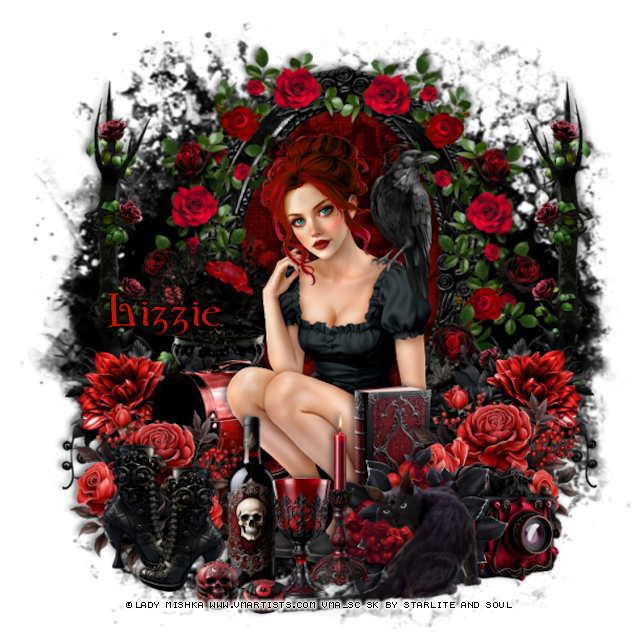
Lizzie tag


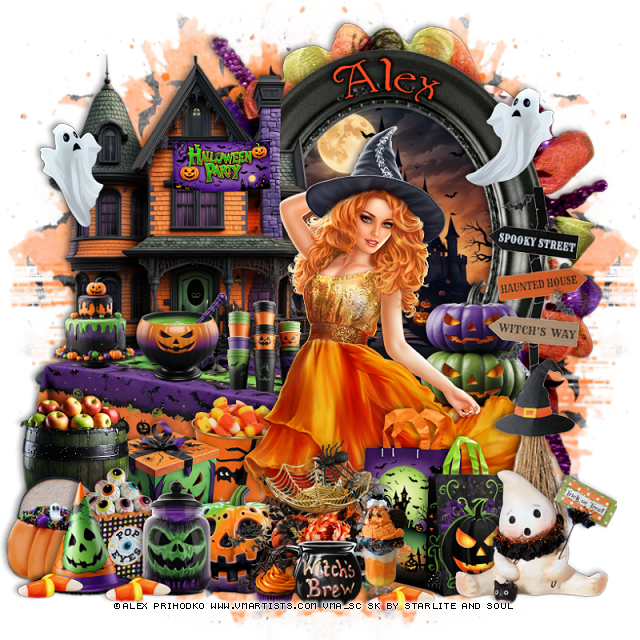
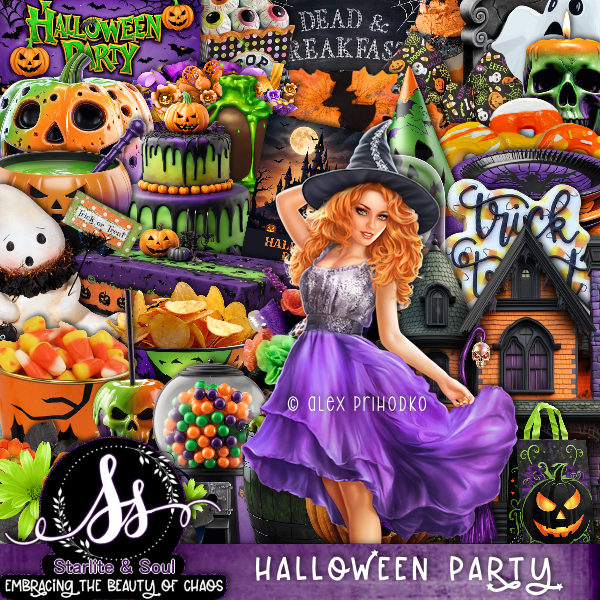
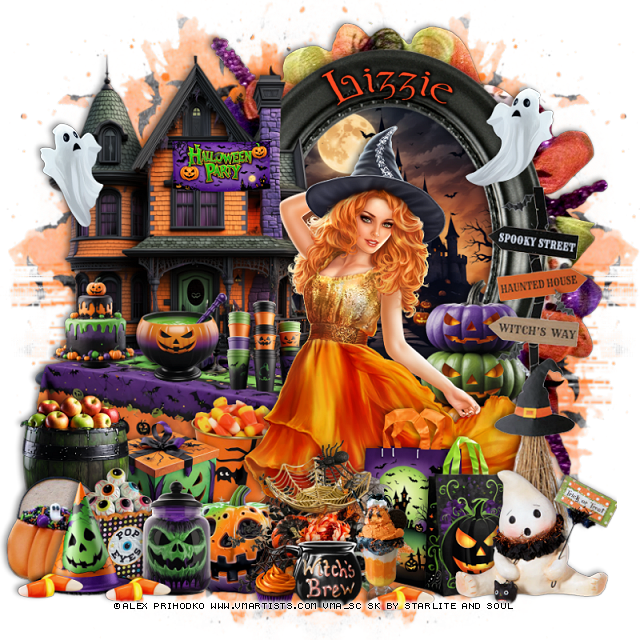
PTU Halloween Party


 This tut was written October 2nd, 2024 for those with a basic knowledge of psp. 

I am using the Awesome tube by © Alex Prihodko

Tube is called Autumn Dance
You need a license to use this tube, please do not use without a license
You can find this tube at VMA HERE

I used PSP2020...but any of them should work.
PTU Scrap Halloween Party by Starlite and Soul  HERE
You can find all Starlite and Soul kits  HERE
Mask of choice, I used Vivienne's Digital Tagging Mask 41 HERE
Check out the rest of the blog  HERE

Font of choice, I used bu Wicked

Drop shadow as you go is V -2 H 4, 40, 10, or use what you prefer.
Let's get started
*Remember to add your drop shadow as you go along*

Open a new image 800 x 800, paste paper 11, apply your mask,
move to the left, duplicate, mirror.

Resize element 5 to 75%, paste at the upper left.
Resize frame 6 to 75%, paste on the right below the house, click inside
with the magic wand, resize element 3 to 75%, paste, erase the part outside the frame.

Resize your tube to 35%, paste to the right.

Resize element 110 to 40%, paste at the bottom above the tube.
Resize element 10 to 40%, paste on the right below the tube.
Resize element 60 to 75%, paste on the right above the tube.
Resize element 24 to 40%, paste at the bottom above the tube.
Resize element 25 to 35%, paste at the bottom right.
Resize element 16 to 75%, paste on the left below the tube.

Resize element 8, 13 and 14 to 20%, paste on the table below the tube.
Resize element 26 to 30%, paste at the bottom above the table.
Resize element 22 to 25%, paste at the bottom below the barrel.
Resize element 77 to 25%, paste below the box.
Resize element 4 to 30%, paste at the bottom below the flower.
Resize element 38 to 35%, paste on the bottom right above the bags.
Resize element 44 to 25%, paste at the bottom left above the barrel.
Resize element 63 to 25%, paste at the bottom left.
Resize element 49 to 25%, paste at the bottom.
Resize element 9 to 25%, paste on the house.
Resize element 2 to 25%, paste at the bottom left.
Resize element 61 to 25%, paste at the upper right.
Resize element 46 to 25%, paste at the upper left.
Resize element 21 to 25%, paste at the bottom.
Resize element 41 to 15%, duplicate a couple of times and move on the 
bottom where you like.
Resize element 48 to 20%, paste at the bottom.
Resize element 31 to 15%, paste at the bottom.
Paste element 58 below the frame.

Add any other elements that you would like, make it your own.
Always readjust your mask and elements how you like them before you
 merge your tag, resize, sharpen.

Crop your tag to be sure no shadows or lines are on the edges.
 Then add your copyright and name.

That's it 

Lizzie tag


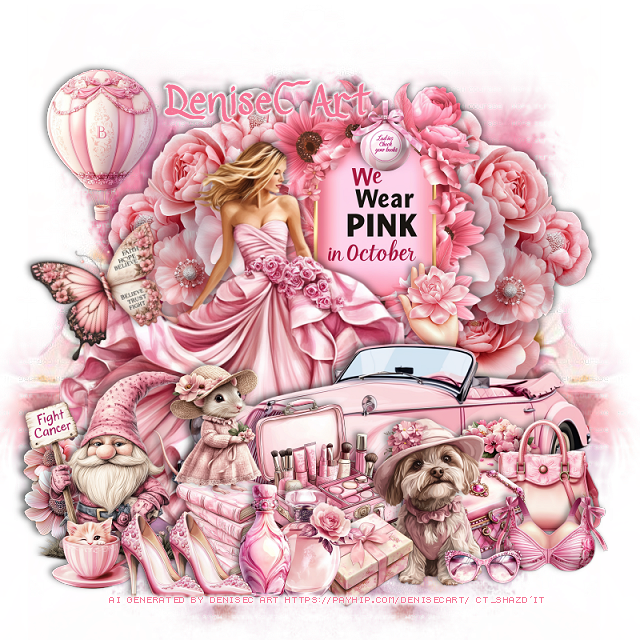
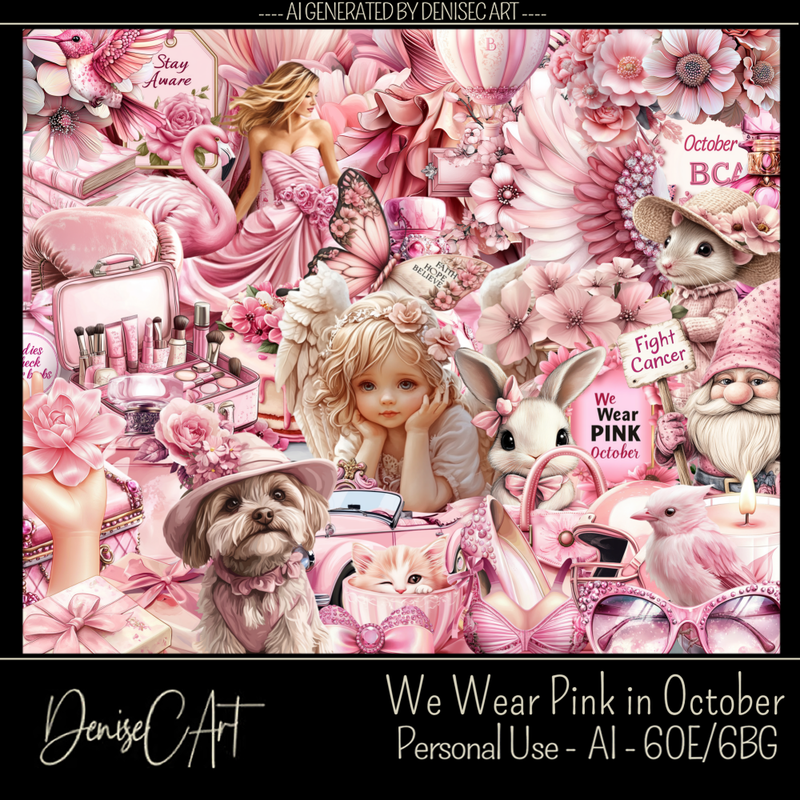
PTU We Wear Pink in October


 This tut was written October 2nd, 2024 for those with a basic knowledge of psp. 

AI generated kit and tube by DeniseC Art

Everything used is included in the kit
Read the TOU on how to credit your tags

I used PSP2020...but any of them should work.
PTU Scrap We Wear Pink in October by DeniseC Art  HERE  
You can find all DeniseC Art kits  HERE
Mask of choice, I used RD Mask 129_2 HERE
Check out the rest of the blog  HERE

 Font of choice, I used Ribbon of Hope

Drop shadow as you go is V -2 H -4, 40, 10, or use what you prefer.
Let's get started
*Remember to add your drop shadow as you go along*

Open a new image 800 x 800, paste paper 6, apply your mask,
move to the right, duplicate, mirror.

Resize element 37 to 40%, paste on the left duplicate, mirror.
Resize element 10 to 30%, paste above the flowers.
Resize element 22 to 10%, paste on the word element.
Resize element 7 to 35%, paste on the left.
Resize element 20 to 55%, paste at the bottom right.
Resize element 12 to 15%, paste below the car by the sign.
Resize element 11 to 25%, paste on the left.
Resize element 30 to 15%, paste above the lady at the bottom left.
Resize element 16 to 15%, paste below the gnome.
Resize element 26 to 20%, paste above the books.
Resize element 15 and 23 to 15%, paste at the bottom.

Resize element 56 to 18%, paste at the bottom.
Resize element 18 to 15%, paste at the bottom below the dog.
Resize element 33 to 10%, paste at the bottom left above the gnome.
Resize element 42 to 15%, paste on the bottom right below the box.
Resize element 14 to 15%, paste at the bottom below the bottles, but 
above the dog.
Resize element 45 to 15%, paste at the bottom by the dog.
Resize element 1 to 15%, free rotate to the left at 20, paste on the left.
Resize element 49 to 12%, paste at the bottom left, duplicate, move over.
Resize element 44 to 15%, paste on the bottom right above the cake.
Resize element 58 to 10%, paste at the bottom.
Resize element 36 to 20%, paste at the upper left.
Resize element 60 to 15%, mirror, paste on the books.

Add any other elements that you would like, make it your own.
Always readjust your mask and elements how you like them before you
 merge your tag, resize, sharpen.

Crop your tag to be sure no shadows or lines are on the edges.
 Then add your copyright and name.
That's it

Hope you enjoyed doing my tut