Friday, April 25, 2025

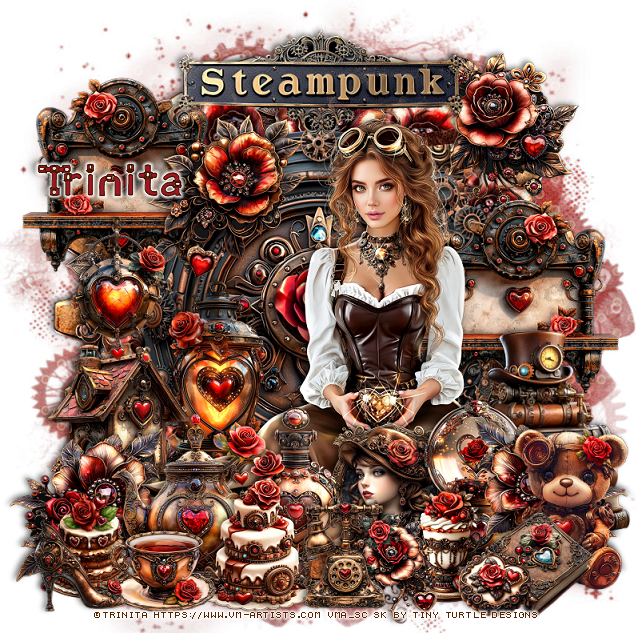
PTU Steampunk Heart


 This tut was written April 24th, 2025 for those with a basic knowledge of psp. 

I am using the Beautiful tube by © Trinita

Tube is called Steampunk Heart
You need a license to use this tube, please do not use without a license
You can find this tube at VMA HERE

I used PSP2020...but any of them should work.
PTU Scrap Steampunk Heart by Tiny Turtle Designs  HERE
You can find all Tiny Turtle Designs Scraps kits  HERE
Miz TeeQues Mask 261 HERE
Check the rest of the blog HERE

Font of choice, I used Angot

Drop shadow as you go is V-2 H-4, 50, 10, color black or use what you prefer.
Let's get started

*Remember to add your drop shadow as you go along*

Open a new image 800 x 800, paste paper 4, apply your mask.

Paste element 44.
Resize element 74 to 35%, apply Mura Meister Copies-Encircle, first 3
numbers on 12, 50, 50, paste.
Resize element 6 to 65%, paste on the circle, click inside, paste paper 1,
invert, delete.
Resize element 45 to 65%, paste in the frame.
Resize element 82 to 35%, paste on the upper left, duplicate, mirror, move
down on the right.
Resize element 202 to 40%, paste on the bottom right.

Resize the tube to 40%, paste on the right.

Resize element 67 to 30%, paste at the bottom left above the tube, duplicate, mirror.
Resize element 62 to 30%, paste at the upper left on the frame.
Resize element 88 to 30%, paste on the bottom left below the flower.
Resize element 33 to 35%, paste on the left below the house.
Resize element 39 to 30%, paste on the bottom right below the flower.
Resize element 135 to 30%, paste at the bottom left.
Resize element 143 to 20%, paste at the bottom.
Resize element 125 to 25%, paste at the bottom.
Resize element 111 to 20%, paste on the bottom left below the cup.

Resize element 125 to 20%, paste on the bottom right.
Resize element 146 to 30%, paste on the bottom right.
Resize element 83 to 20%, paste at the bottom above the bear.
Resize element 54 to 25%, paste on the left above the shelf.
Resize element 63 to 30%, paste at the upper right below the tube.
Resize element 35 to 30%, paste at the bottom below the cakes.
Resize element 85 to 20%, paste at the bottom above the cake.
Resize element 107 to 15%, paste at the bottom by the book.
Resize element 71 to 20%, paste below the phone.
Resize element 21 to 25%, paste at the bottom above the tube.
Resize element 78 to 17%, paste at the bottom left.
Resize element 3 to 50%, paste at the top below the tube.

Add any other elements that you would like, make it your own.
Always readjust your mask and elements how you like them before you
 merge your tag, resize, sharpen.

Crop your tag to be sure no shadows or lines are on the edges.
 Then add your copyright and name.
That's it

Hope you enjoyed doing my tut

Laura tag 


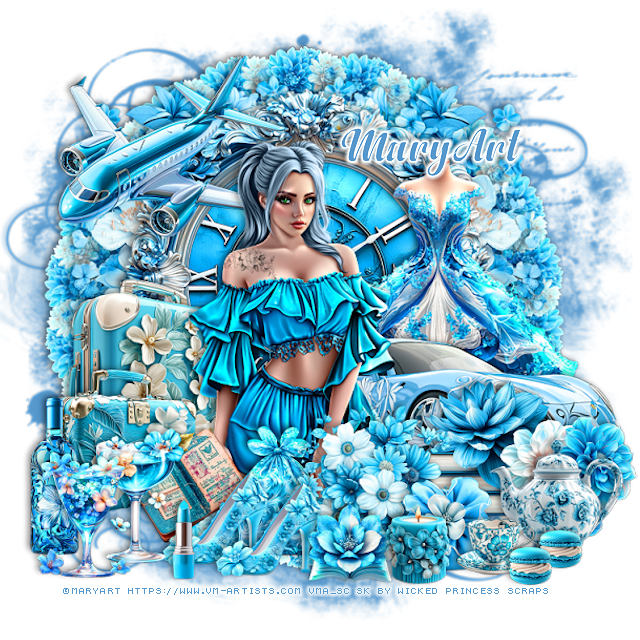
PTU Ruffles and Romance


 This tut was written April 24th, 2025 for those with a basic knowledge of psp. 

I am using the Awesome tube by ©MaryArt

Tube is called Sisi
You need a license to use this tube, please do not use without a license
You can find the tube at VMA  HERE


I used PSP2020...but any of them should work.
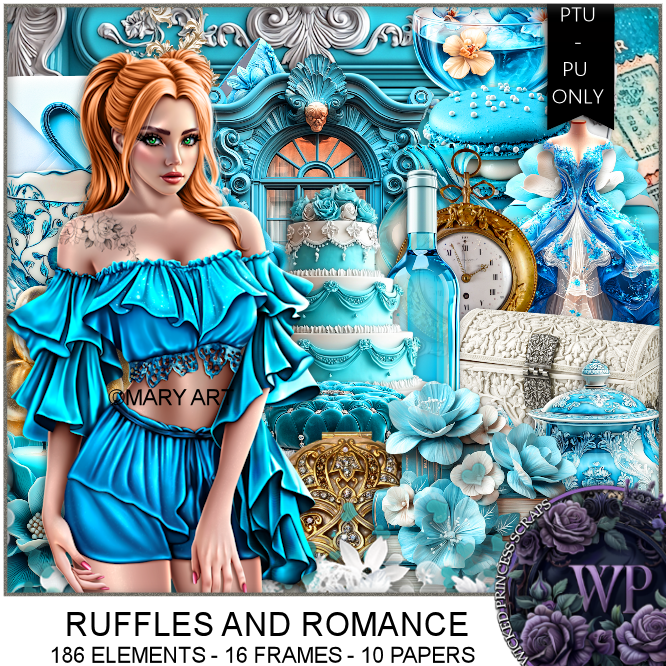
PTU Scrap Ruffles and Romance by Wicked Princess Scraps HERE
You can find all Wicked Princess Scraps kits  HERE
Mask of choice, I used Miz TeeQue's Mask 56 HERE
Check out the rest of the blog HERE

Font of choice, I used Anydore

Drop shadow as you go is V -2 H 4, 40, 10, or use what you prefer.
Let's get started
*Remember to add your drop shadow as you go along*

Open a new image 800 x 800, paste paper 8, change to color to match, apply your mask.

Resize element 73 to 65%, paste.
Resize element 34 to 60%, paste below the frame.
Resize element 18 to 75%, paste below the frame on the right, duplicate, mirror,
erase the flowers in the frame.
Resize element 49 to 25%, apply Mura Meister Copies-Encircle, first 3
numbers on 22, 65, 65,  paste below the frame.
Resize element 28 to 60%, paste above the frame on the right.
Resize element 42 to 60%, paste on the right below the car.

Resize the tube to 35%, paste.

Resize element 19 to 30%, paste above the tube at the bottom.
Resize element 135 to 40%, paste on the left below the tube.
Resize element 134 to 30%, paste above the suitcase.
Resize element 91 to 20%, paste at the bottom left, duplicate, move over.
Resize element 200 to 40%, paste at the upper left below the tube.
Resize element 113 to 25%, paste at the bottom left below the shoes.
Resize element 94 to 20%, paste at the bottom right above the flowers.
Resize element 35 and 36 to 25%, paste at the bottom left.
Resize element 124 to 25%, paste below the shoes.
Resize element 15 to 25%, paste on the bottom right above the car.
Resize element 57 to 25%, paste at the bottom right.
Resize element 153 to 30%, paste at the bottom left below the drinks.
Resize element 142 to 25%, paste at the bottom right.
Resize element 140 to 15%, paste at the bottom.

Resize element 103 to 25%, paste at the bottom.
Resize element 108 to 10%, paste at the bottom right, duplicate, move over.
Resize element 12 to 15%, paste it at the bottom.
Resize element 25 to 15%, paste at the bottom.

Add any other elements that you would like, make it your own.
Always readjust your mask and elements how you like them before you
 merge your tag, resize, sharpen.

Crop your tag to be sure no shadows or lines are on the edges.
 Then add your copyright and name.
That's it

Hope you enjoyed doing my tut 

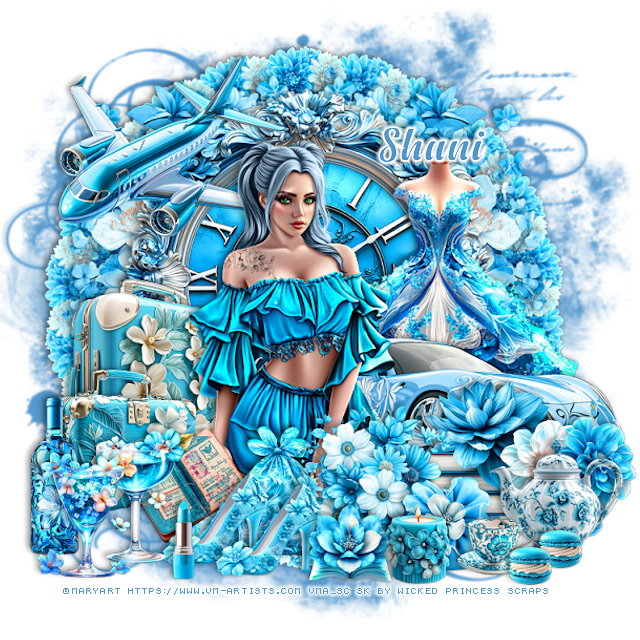
Tag for Shani 


PTU Bee Time


 This tut was written April 25th, 2025,  for those with a basic knowledge of psp. 

I am using a beautiful tube ©Goldwasser
Tube is included
Use your license from the store you bought the kit at
Read the TOU on how to credit your tags

I used PSP2020...but any of them should work.
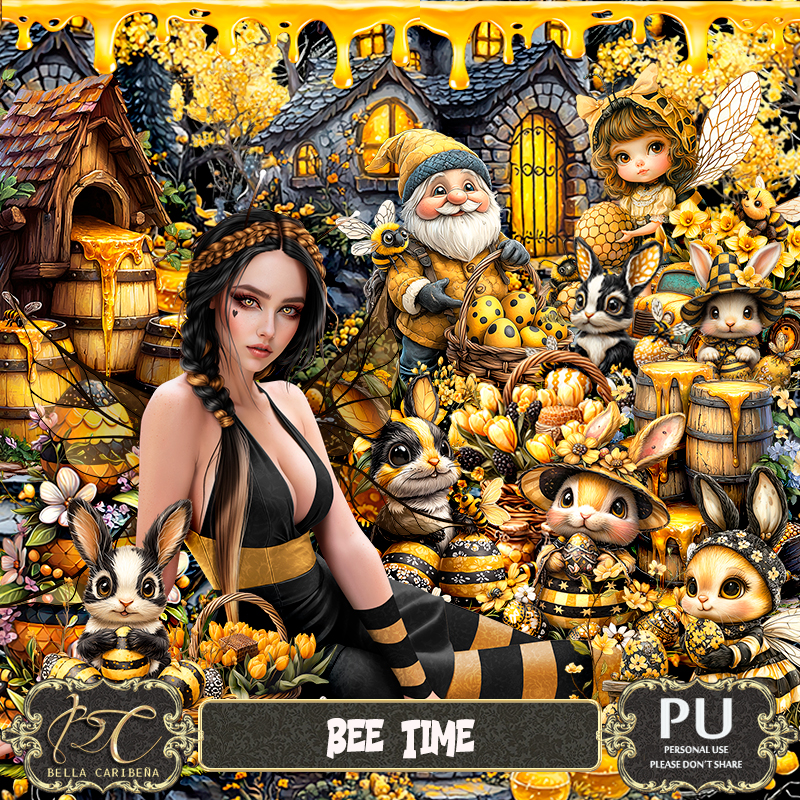
PTU Scrap Bee Time by Bella Caribeña  HERE 
Bee theme kit 
Kit contains 1 tube ©Goldwasser, 142 elements, 20 papers and 2 Al tubes
You can check out the rest of her store HERE

Font of choice, I used Daisy Roots

 Drop shadow as you go is V -2 H 4, 40, 10, or use what you prefer.
Let's get started
*Remember to add your drop shadow as you go along*

Open a new image 800 x 800, paste element 46.

Paste element 123 at the upper left.
Resize element 104 to 75%, mirror, paste on the upper left above the tree.
Resize element 50 to 75%, paste on the upper right.
Resize element 49 to 75%, paste about center and down.
Resize element 52 to 60%, paste at the bottom to the left a bit.

Resize your tube to 25%, paste at the bottom left.

Resize element 59 to 40%, paste below the tube on the left.
Paste element 19 on the bottom left below the gate layer, duplicate,
mirror, move down one layer, duplicate again, move up and below the center house.
Resize element 81 to 40%, paste below the house on the right.
Resize element 69 to 40%, paste below the truck on the right.
Resize element 137 to 25%, paste on the left below the tube, duplicate, mirror.

Resize element 1 to 25%, paste at the bottom above the tube.
Resize element 91 to 30%, paste on the left on the steps below the barrels.
Resize element 86 to 30%, paste at the bottom below the tube to the right.
Resize element 134 to 35%, paste on the bottom left above the basket.
Resize element 74 to 25%, paste at the bottom above the basket.
Resize element 63 to 30%, paste at the bottom.
Resize element 136 to 25%, paste at the bottom.
Resize element 60 and 61 to 30%, paste at the bottom right.
Resize element 111 and 112 to 15%, paste at the bottom left.
Resize element 64 to 20%, mirror, paste at the bottom.
Resize element 83 to 25%, paste at the bottom right below the kid.
Resize element 101 to 20%, paste at the bottom right.

Add any other elements you would like, resize.
Crop your tag to be sure no shadows or lines are on the edges.
 Then add your copyright and name.
That's it

Hope you enjoyed doing my tut