Tuesday, March 31, 2026

PTU Mushrooms on Spring

  This tut was written March 30, 2026,  for those with a basic knowledge of psp. 

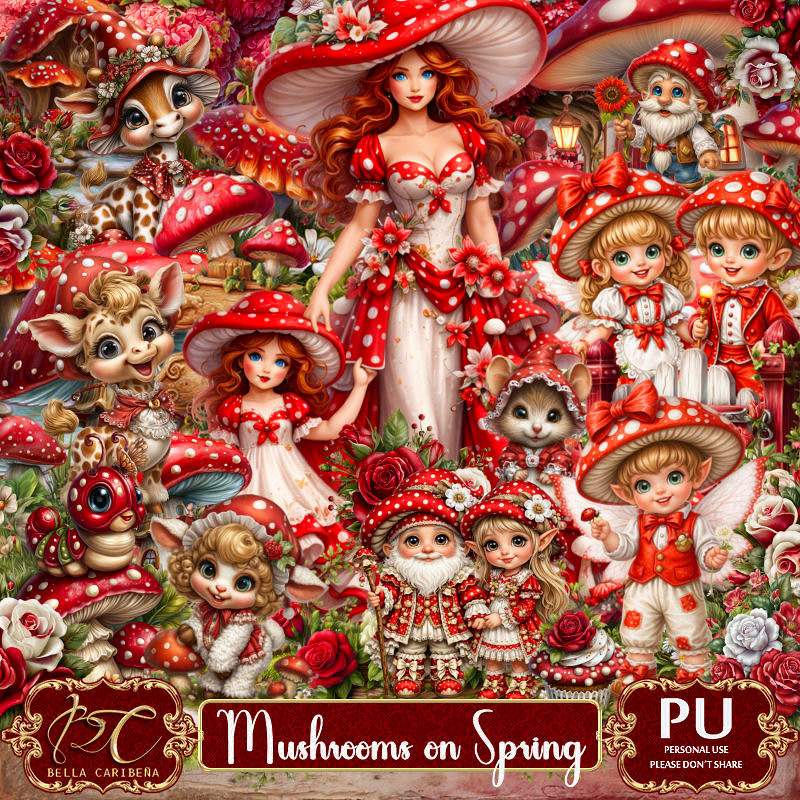
Awesome Al kit by Bella Caribeña
Everything is included
Read the TOU on how to credit tags

I used PSP2020...but any of them should work.
PTU Scrap Mushrooms on Spring  by Bella Caribeña  HERE
Fantasy/Spring Theme
Kit contains 5 Al gen tubes, 87 elements, 16 papers and 3 masks
You can check out the rest of her store HERE 

Font of choice I used Yellow Sunflower

 Drop shadow as you go is V -2 H 4, 40, 10, or use what you prefer.
Let's get started
*Remember to add your drop shadow as you go along*

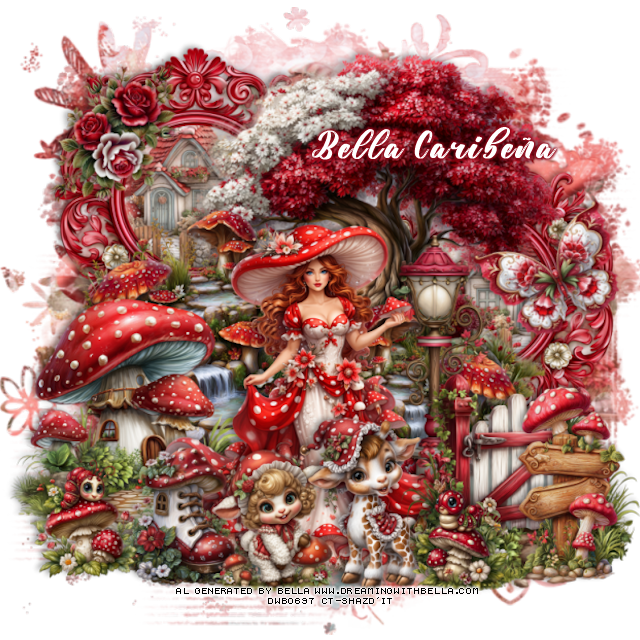
Open a new image 800 x 800, paste mask 2, adjust with your pick tool.

Resize tube 1 to 22%, paste at the bottom.
Resize 79 to 40%, paste on the left below the tube, duplicate, mirror,
move down.
Resize 38 to 75%, paste on the upper right below the waterfall.
Resize 36 to 50%, paste on the bottom left below the tube.
Resize 29 to 60%, paste on the upper left below the tree, duplicate, 
move down on the right, click inside both frames, resize mask 2 to 40%,
paste in each frame, invert, delete.

Resize 83 to 50%, paste on the bottom right below the tube.
Resize 48 to 25%, paste at the bottom left.
Resize 68 to 35%, paste at the bottom above the tube.
Resize 63 to 60%, paste on the right below the gate.
Resize 64 to 30%, paste at the bottom left above the tube.
Resize 81 to 40%, paste on the bottom right above the gate.
Resize 47 to 25%, paste at the bottom by the gate.
Resize 72 to 30%, mirror, paste at the bottom by the shoe.
Resize 50 to 30%, paste on the upper left on the frame.
Resize 45 to 30%, free rotate to the left, paste on the right.

Add any other elements you would like, resize.
Crop your tag to be sure no shadows or lines are on the edges.
 Then add your copyright and name.
That's it

            Hope you enjoyed doing my tut                 

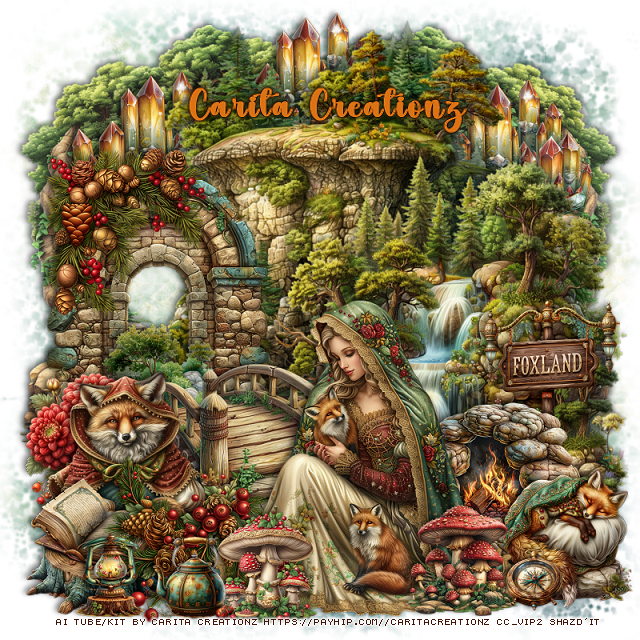
PTU Foxland Mystics

  This tut was written March 30th, 2026 for those with a basic knowledge of psp. 

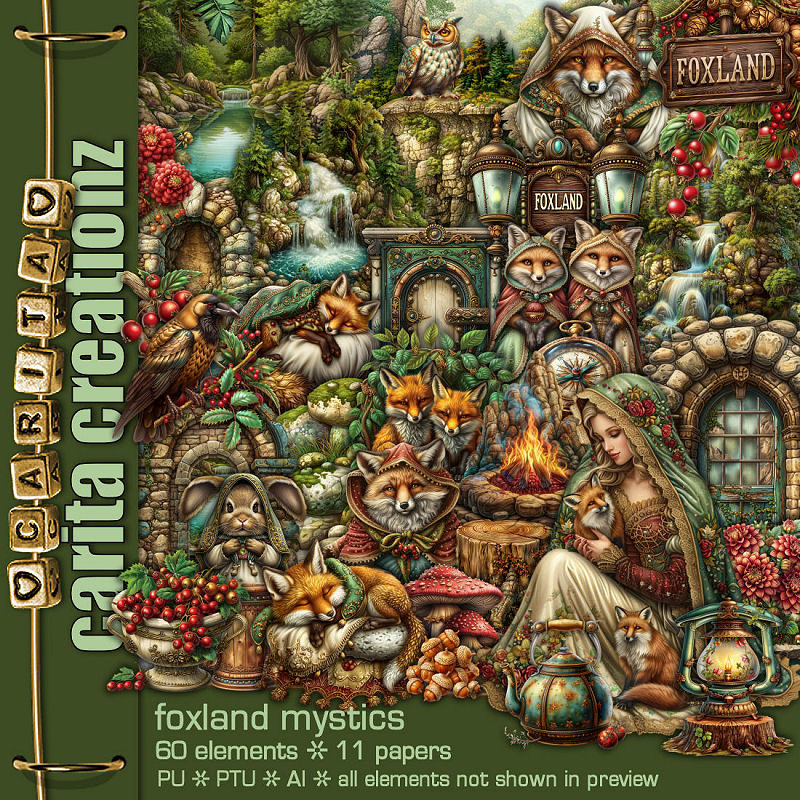
I am using the Awesome Al kit by Carita Creationz
The beautiful tube is Al gen by Carita
Read the TOU how to credit your tags.

I used PSP2020...but any of them should work.
PTU Scrap Foxland Mystics by Carita Creationz  HERE
Kit comes with 60 elements, 10 papers and 1 tube
Check her store out to see all her other kits and tubes HERE
Mask of choice, I used Miz Teeques Mask 52 HERE
Check out the rest of the blog HERE  

Font of choice, I used Simple October

Drop shadow as you go is V -2 H 4, 50, 10, or use what you prefer.
Let's get started
*Remember to add your drop shadow as you go along*

Open a new image 800 x 800, paste paper 8, apply your mask.

Resize 31 to 70%, paste at the top.
Resize 17 to 65%, paste on the right.
Resize 1 to 50%, paste at the bottom right.
Resize 37 to 50%, paste below the tube on the left.
Resize 13 to 50%, paste below the bridge on the left.
Resize 55 to 25%, paste on the left by the bridge.
Resize 39 to 35%, paste at the top on the bottom layer, center, duplicate
twice, move to each side.
Resize 48 to 75%, paste at the top on the left below  the crystal, duplicate, mirror.

Resize 35 to 30%, mirror, paste on the right below the tube.
Resize 20 to 25%, paste at the bottom right.
Resize 4 to 20%, paste at the bottom above the tube.
Resize 28 to 30%, paste at the bottom below the mushrooms.
Resize 38 to 20%, paste at the bottom right by the wolf.
Resize 22 to 30%, paste on the left on the arch.

Resize 15 to 30%, paste on the left below the greenery by the bridge.
Resize 33 to 25%, paste on the bottom left.
Resize 23 to 25%, paste on the right below the rocks.
Resize 41 to 15%, paste on the bottom left.
Resize 40 to 10%, paste on the bottom right.
Resize 5 to 15%, paste on the bottom left.

Add any other elements that you would like, make it your own.
Always readjust your mask and elements how you like them before you
 merge your tag, resize, sharpen.
Crop your tag to be sure no shadows or lines are on the edges.
 Then add your copyright and name.
That's it

Hope you enjoyed doing my tut.            

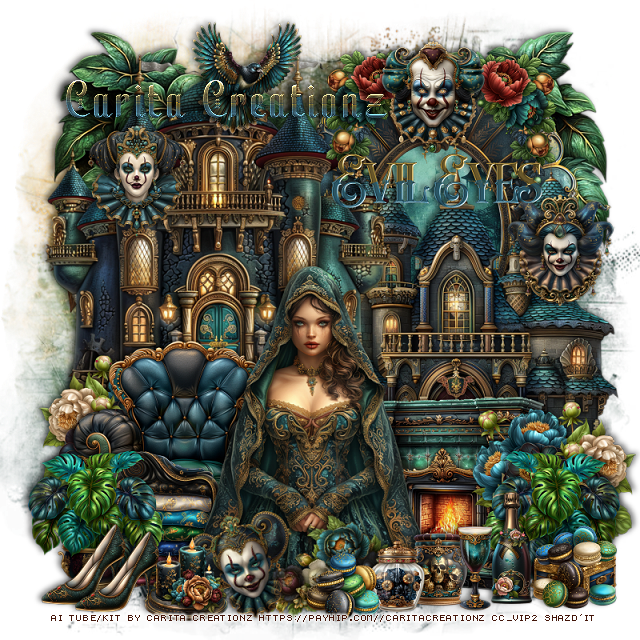
PTU Evil Eyes

   This tut was written March 30th, 2026 for those with a basic knowledge of psp. 

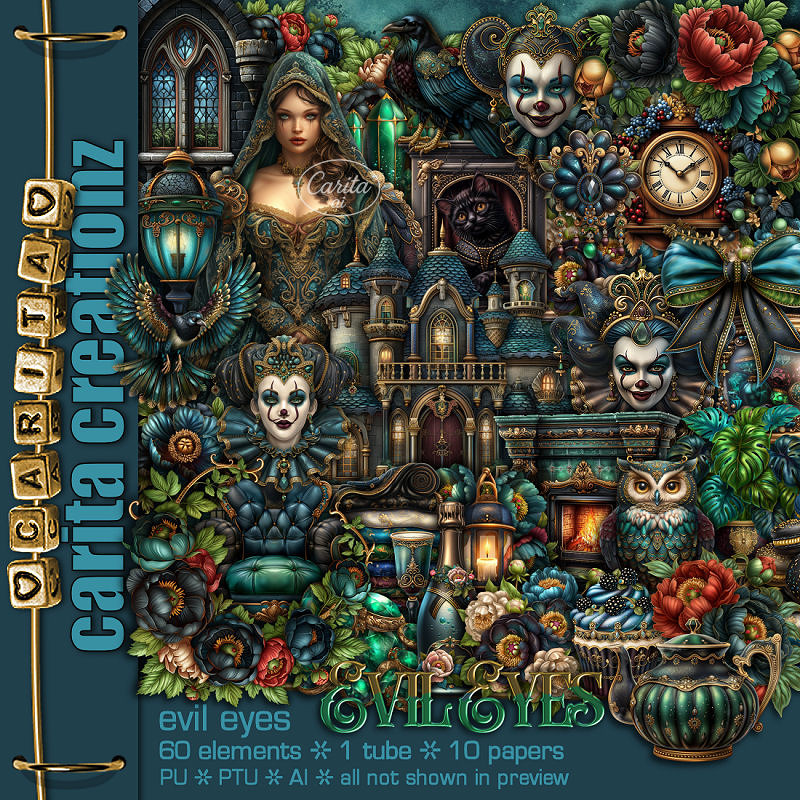
I am using the Awesome Al kit by Carita Creationz
The beautiful tube is Al gen by Carita
Read the TOU how to credit your tags.

I used PSP2020...but any of them should work.
PTU Scrap Evil Eyes by Carita Creationz  HERE
Kit comes with 60 elements, 10 papers and 1 tube
Check her store out to see all her other kits and tubes HERE
Mask of choice, I used Miz Teeques Mask 284 HERE
Check out the rest of the blog HERE  

Font of choice, I used Yulltan

Drop shadow as you go is V -2 H 4, 50, 10, or use what you prefer.
Let's get started
*Remember to add your drop shadow as you go along*

Open a new image 800 x 800, paste paper 9, apply your mask.

Resize 51 to 55%, paste at the upper right, click inside, resize
paper 1 to 40%, paste, invert, delete.
Resize 56 to 65%, paste at the top left.
Resize 23 to 60%, paste on the right below the castle.
Resize 12 to 30%, paste on the bottom left above the castle, duplicate, mirror.
Resize 29 to 40%, paste on the bottom left above the flowers.
Resize 19 to 35%, paste on the bottom right.
Resize 30 to 25%, paste on the left above the chair, duplicate, mirror,
move above the flowers on the right.
Paste 58 at the top on the bottom layer.

Resize the tube to 45%, paste at the bottom.

Resize 15 to 25%, paste at the bottom left below the plant.
Resize 31 to 20%, paste on the left on the castle.
Resize 54 to 20%, paste on the frame.
Resize 33 to 20%, paste on the castle on the right.
Resize 32 to 20%, paste at the bottom left above the tube, free rotate to 
the left at 20.
Resize 28 to 20%, paste at the upper left.

Resize 4 to 20%, paste at the bottom right by the fireplace.
Resize 59 to 15%, paste at the bottom by the bottle.
Resize 36 to 15%, paste at the bottom right.
Resize 9 to 15%, paste at the bottom left, duplicate, move over.
Resize 55 to 15%, paste at the bottom left between the mask and shoes.
Resize 1 to 25%, paste at the top below the clown face on the frame, duplicate,
mirror.
Resize 14 to 25%, free rotate to the left at 45, paste at the bottom above the tube.
Resize 53 to 13%, paste at the bottom below the drink.
Resize 6 to 13%, paste at the bottom.
Resize 20 to 13%, paste at the bottom.
Resize 60 to 35%, paste on the upper right.

Add any other elements that you would like, make it your own.
Always readjust your mask and elements how you like them before you
 merge your tag, resize, sharpen.
Crop your tag to be sure no shadows or lines are on the edges.
 Then add your copyright and name.
That's it

Hope you enjoyed doing my tut.