Tuesday, April 7, 2026

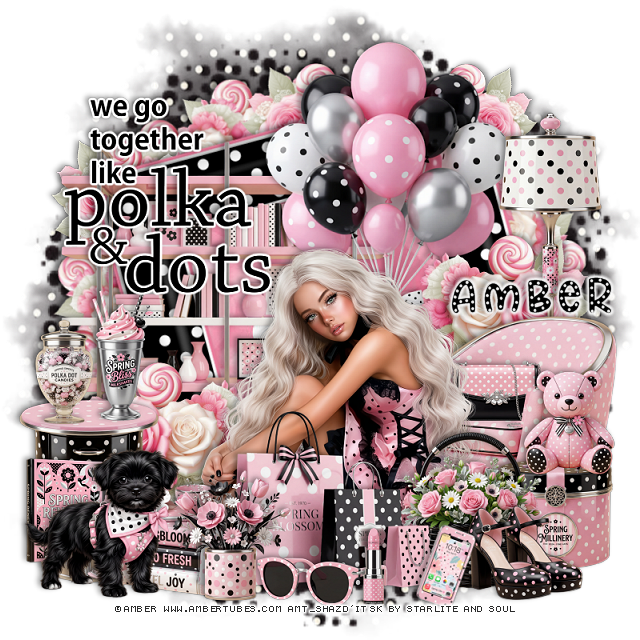
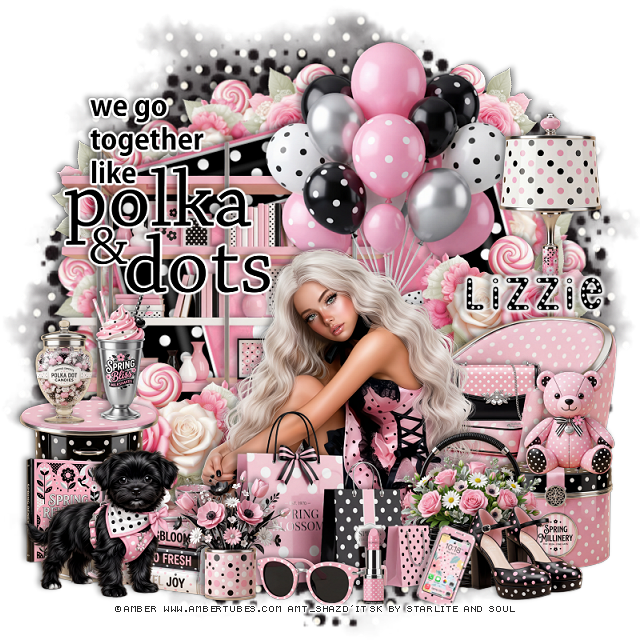
PTU Polka Mood


 This tut was written April 4th, 2026 for those with a basic knowledge of psp. 

I am using the beautiful tube by © Amber

Tube is called Spring Dreaming
You need a license to use this tube, please do not use without a license
You can find this tube at Amber store HERE


I used PSP2020...but any of them should work.
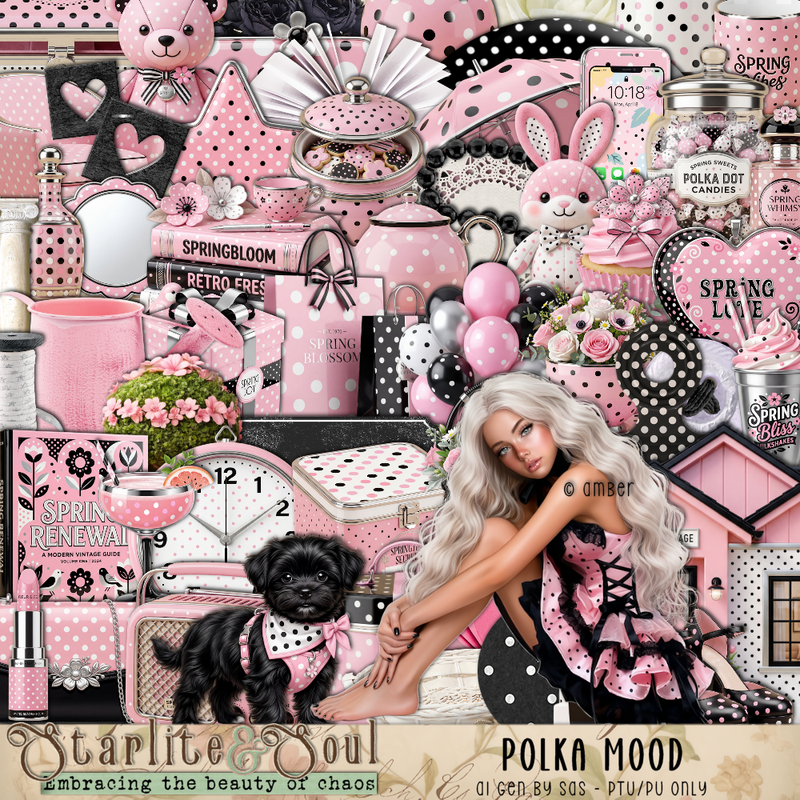
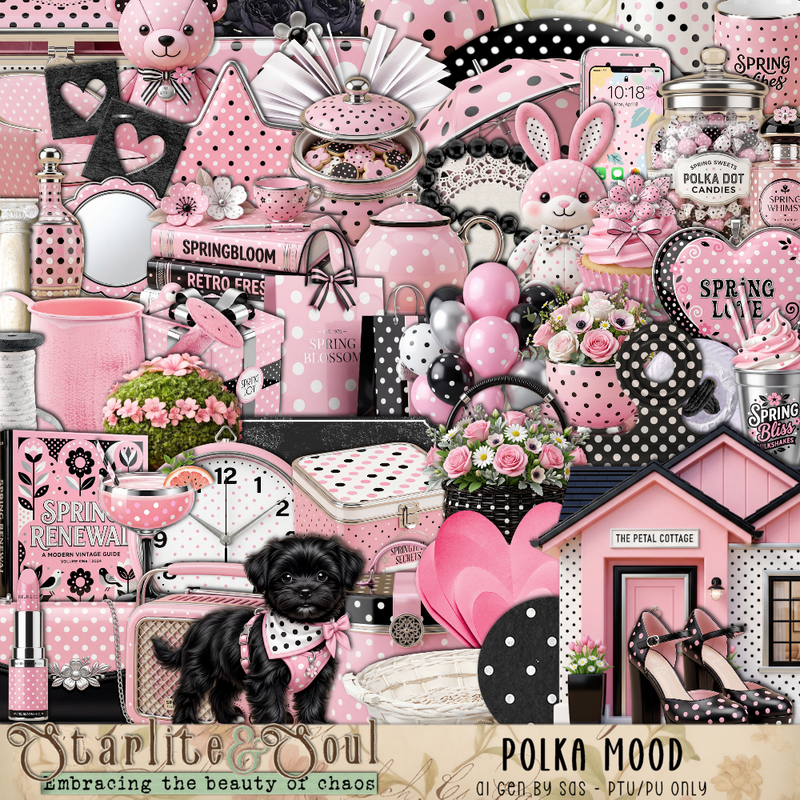
PTU Scrap Polka Mood by Starlite and Soul  HERE
You can find all Starlite and Soul kits  HERE 
Miz Teeques Mask 70 HERE
Check the blog HERE
Filter
Mura Meister Copies-encircle

Font of choice, I used American History Dot

Drop shadow as you go is V -2 H 4, 40, 10, or use what you prefer.
Let's get started
*Remember to add your drop shadow as you go along*

Open a new image 800 x 800, paste paper 20, apply your mask.

Resize frame 4 to 90%, free rotate to the left at 15, click inside,
paste paper 14, invert, delete.
Add a fat white gradient glow to the frame, then add a fat pink
gradient glow, merge the frame and paper together.

Resize 131 to 30%, apply Mura Meister Copies-Encircle, first 3
numbers on 18, 55, 50, paste below the frame.
Resize 131 to 30%, paste below the flower circle at the upper left, duplicate,
mirror.
Resize 67 to 65%, paste on the left above the frame.

Resize the tube to 30%, paste above the frame.

Resize 4 to 70%, paste below the tube at the top.
Resize 131 to 35%, paste on the left below the tube, duplicate, mirror.
Resize 15 to 45%, mirror, paste on the right below the tube.
Resize 12 to 20%, paste on the chair, erase a little that is covering the arm of
the chair.
Resize 21 to 50%, paste on the right below the chair.
Resize 37 to 45%, paste at the bottom above the tube.
Resize 46 to 30%, paste at the bottom right below the bags.
Resize 6 to 30%, paste at the bottom left below the bags.
Resize 40 to 25%, paste at the bottom above the bags.
Resize 22 to 25%, paste at the bottom by the glasses.
Resize 32 to 22%, paste on the bottom right by the basket.

Resize 27 to 25%, paste on the bottom right above the chair.
Resize 3 to 30%, paste on the bottom left above the books.
Resize 20 to 35%, paste on the left above the flowers behind the dog.
Resize 9 to 20%, paste on the left on the table.
Resize 33 to 25%, paste on the table.
Resize 32 to 15%, paste at the bottom by the glasses.
Resize 10 to 15%, free rotate to the right at 20, paste at the bottom.
Resize the wordart to 40%, paste on the upper left, add a fat white gradient glow.
Resize 38 to 20%, paste on the right on the box.
Resize 5 to 20%, paste on the left below the dog.

Add any other elements that you would like, make it your own.
Always readjust your mask and elements how you like them before you
 merge your tag, resize, sharpen.

Crop your tag to be sure no shadows or lines are on the edges.
 Then add your copyright and name.
That's it

Hope you enjoyed doing my tut

Tag for Lizzie
Friday, April 3, 2026

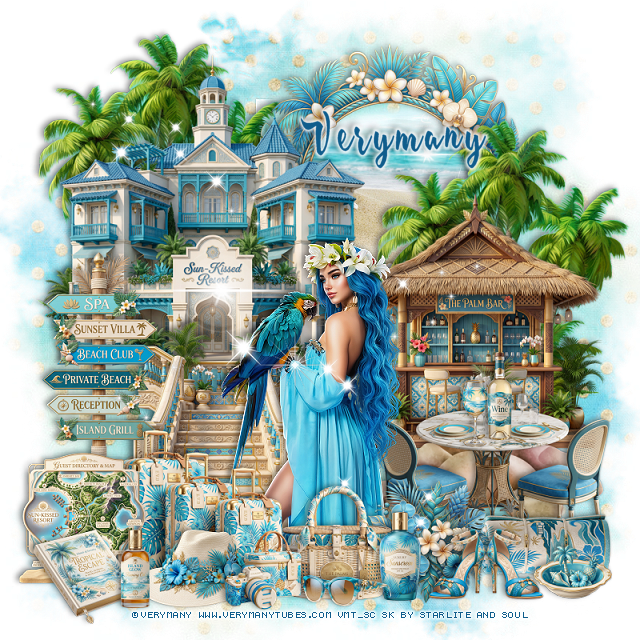
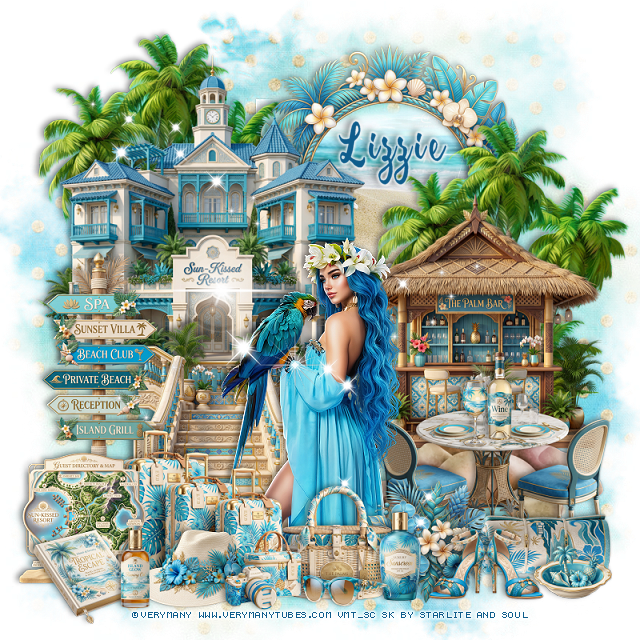
PTU Sun Kissed Escape


 This tut was written April 3rd, 2026 for those with a basic knowledge of psp. 

I am using the beautiful tube by © Verymany

Tube is called Azure Parrot
You need a license to use this tube, please do not use without a license
You can find this tube at Verymany store HERE


I used PSP2020...but any of them should work.
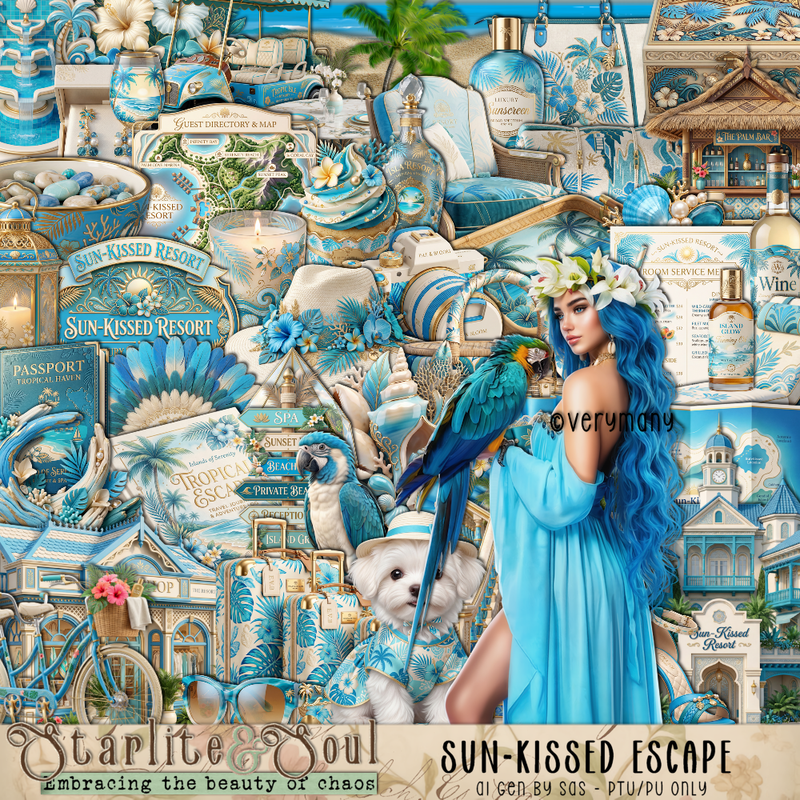
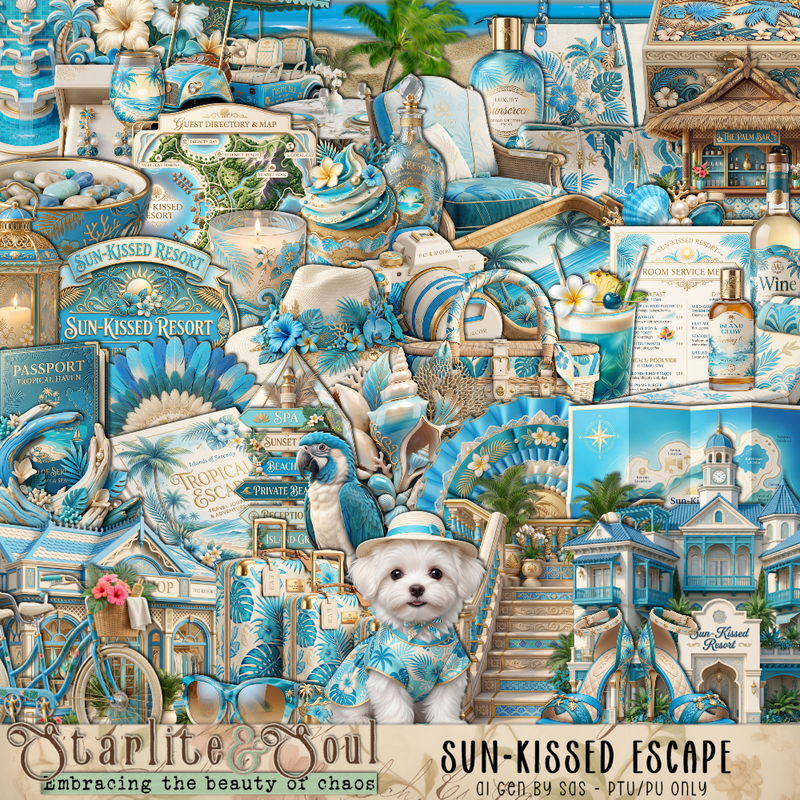
PTU Scrap Sun Kissed Escape by Starlite and Soul  HERE
You can find all Starlite and Soul kits  HERE 
Lori's PSP Graphics Mask 1230 HERE
Check the blog HERE

Font of choice, I used Breakfast On The Beach

Drop shadow as you go is V -2 H 4, 40, 10, or use what you prefer.
Let's get started
*Remember to add your drop shadow as you go along*

Open a new image 800 x 800, paste paper 13, apply your mask, 

Resize 1 to 65%, paste at the upper left.
Resize 9 to 40%, paste at the bottom in front of the hotel.
Resize frame 1 to 55%, paste at the upper right below the hotel, 
click inside, resize paper 19 to 30%, paste, invert, delete.
Resize 104 to 55%, paste on the upper left below the hotel, duplicate, 
mirror, move above the frame on the right.
Resize 6 to 50%, paste down on the right above the trees.

Resize the tube to 25%, paste at the bottom.

Resize 31 to 50%, paste on the left of the stairs.
Resize 17 to 45%, paste on the bottom right below the tube.
Resize 47 to 35%, paste on the bottom left above the sign.
Resize 57 to 25%, paste on the bottom left above the suitcases.
Resize 39 to 25%, paste at the bottom by the sign.
Resize 7 to 22%, paste at the bottom above the tube.
Resize 118 to 25%, paste at the bottom.

Resize 102 to 50%, paste on the bottom right below the table and chairs.
Resize 26 to 25%, paste at the bottom right above the table and chairs.
Resize 34 to 22%, paste at the bottom right.
Resize 41 to 17%, paste at the bottom.
Resize 38 to 17%, paste at the bottom.
Resize 16 to 15%, paste at the bottom right.
Resize 42 to 17%, paste on the table.
Resize 43 to 13%, paste on the table.
Resize 54 to 10%, paste at the bottom by the hat.
Resize 56 to 20%, paste on the bottom left above the sign.
Resize 48 to 15%, paste on the bottom left.
Mirror 166, paste where you like being on the top layer.

Add any other elements that you would like, make it your own.
Always readjust your mask and elements how you like them before you
 merge your tag, resize, sharpen.

Crop your tag to be sure no shadows or lines are on the edges.
 Then add your copyright and name.
That's it

Hope you enjoyed doing my tut

Tag for Lizzie 


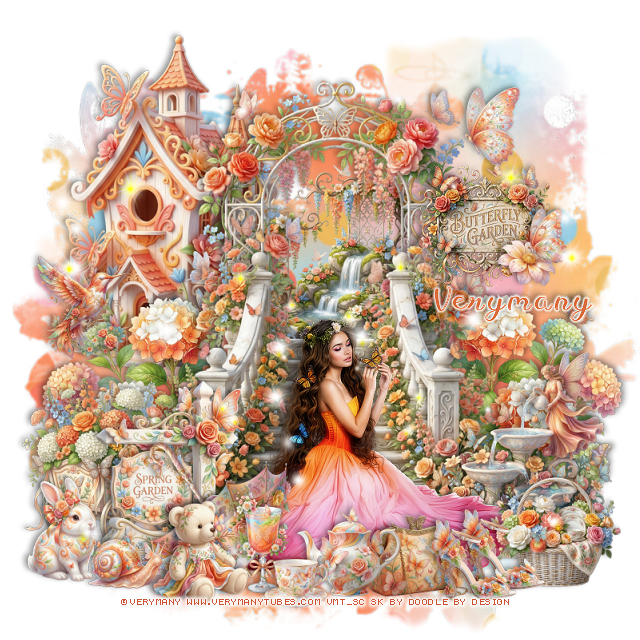
PTU Spring Glow


  This tut was written April 3rd, 2026 for those with a basic knowledge of psp. 

I am using the awesome tube ©Verymany
The tube is called Spring Glow
The tube is NOT included
You need a license to use this tube, please do not use without a license
You can find the tube at Verymany store HERE


I used PSP2020...but any of them should work.
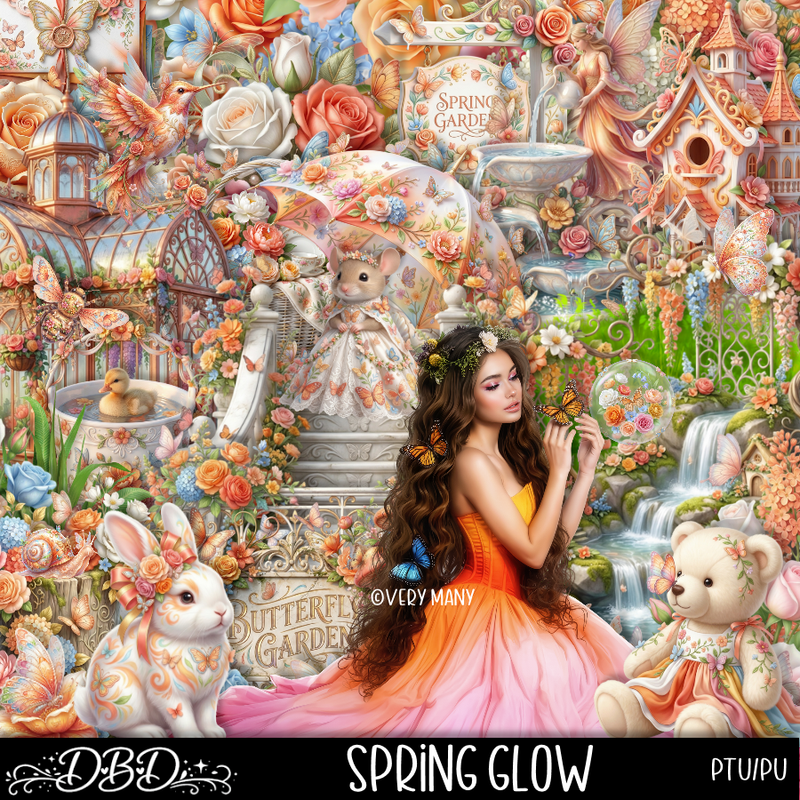
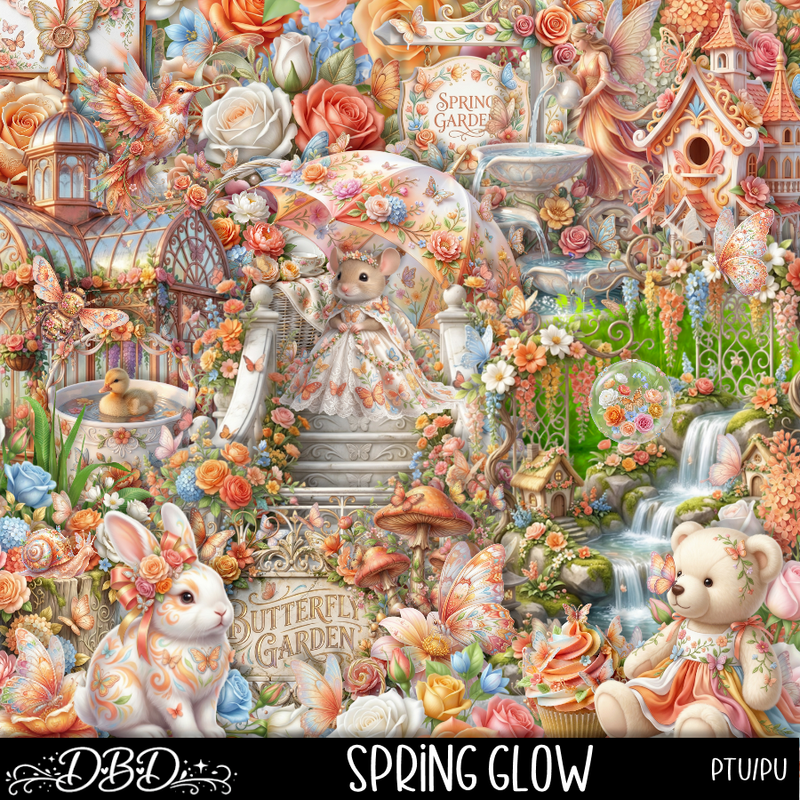
PTU Scrap Spring Glow by Doodle by Design  HERE
You can find all Doodle by Design kits  HERE 
Miz Teeque's Mask 246 HERE
Check the blog out HERE

Font of choice, I used Butterfly

Drop shadow as you go is V -2 H 4, 40, 10, or use what you prefer.
Let's get started
*Remember to add your drop shadow as you go along*

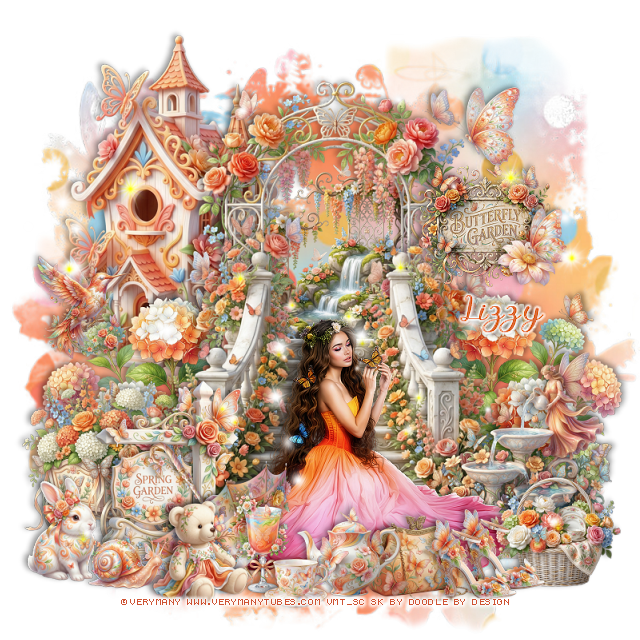
Open a new image 800 x 800, paste paper 1, apply your mask.

Resize 48 to 60%, paste at the top.
Resize 25 to 65%, paste at the bottom of the arch.
Resize 31 to 50%, paste on the bottom left below the arch, duplicate, mirror.
Resize 5 to 65%, paste on the upper left below the flowers.
Resize 39 to 45%, paste below the arch opening.
Resize 8 to 25%, paste on the right above the arch.

Resize the tube to 20%, paste above the steps at the bottom.

Resize 23 to 35%, paste on the bottom left below the tube.
Resize 22 to 40%, paste on the bottom right below the tube.
Resize 51 to 35%, paste on the bottom left below the sign.
Resize 29 to 17%, paste at the bottom right above the tube, duplicate, move over.
Resize 9 to 15%, paste at the upper right above the sign.

Resize 30 to 20%, mirror, paste on the left by the house and flowers.
Resize 49 to 30%, flip, paste at the bottom left above the tube.
Resize 38 to 15%, paste on the upper right on the sign.
Resize 40 to 15%, paste on the bottom left by the umbrella.
Resize 53 to 20%, paste on the bottom left.
Resize 35 to 25%, paste at the bottom right by the shoes.
Resize 13 to 22%, paste at the bottom by the shoes.
Resize 43 to 20%, paste at the bottom.
Resize 42 to 13%, paste at the bottom.
Resize 14 to 20%, paste at the bottom below the cup.
Resize 44 to 20%, mirror, paste at the bottom left by the umbrella.
Paste 130 on the left, duplicate, mirror, adjust how you like, erase any on the
tube you don't want.

Add any other elements that you would like, make it your own.
Always readjust your mask and elements how you like them before you
 merge your tag, resize, sharpen.

Crop your tag to be sure no shadows or lines are on the edges.
 Then add your copyright and name.
That's it

Hope you enjoyed doing my tut 

Tag for Lizzy