Tuesday, April 7, 2026

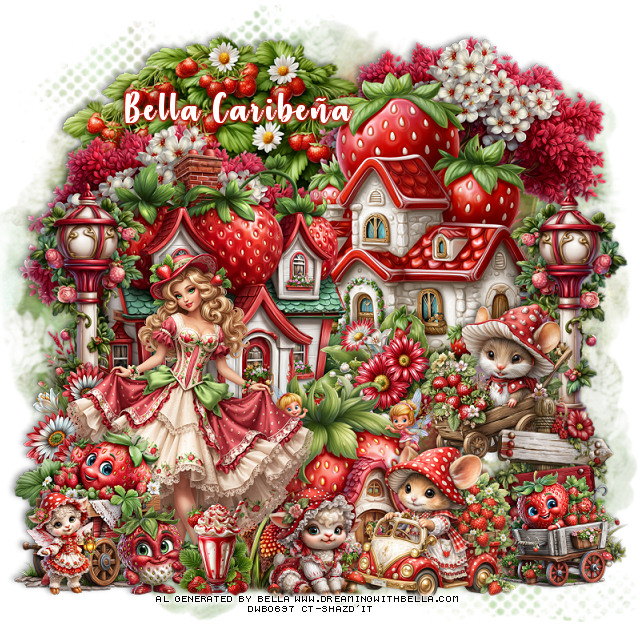
PTU Whimsical Strawberries

   This tut was written April 7th, 2026,  for those with a basic knowledge of psp. 

Awesome Al kit by Bella Caribeña
Everything is included
Read the TOU on how to credit tags

I used PSP2020...but any of them should work.
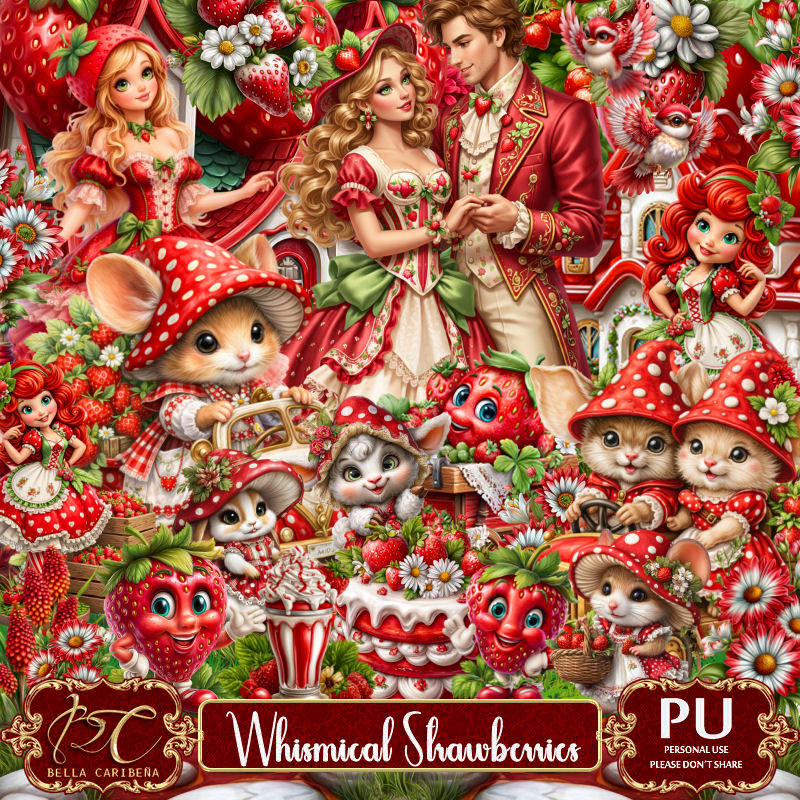
PTU Scrap Whimsical Strawberries  by Bella Caribeña  HERE
FantasyTheme
Kit contains 3Al gen tubes, 103 elements, 18 papers and 3 masks
You can check out the rest of her store HERE 

Font of choice I used Strawberry Blossom

 Drop shadow as you go is V -2 H 4, 40, 10, or use what you prefer.
Let's get started
*Remember to add your drop shadow as you go along*

Open a new image 800 x 800, paste mask 2, adjust.

Resize 62 to 65%, paste on the upper right.
Resize 1 to 65%, paste on the left.
Resize 13 to 75%, paste on the upper left below the houses.
Resize 69 to 65%, paste below the house on the left, duplicate, move to the right.
Resize 101 to 30%, paste above the house at the bottom center.
Resize 91 to 35%, paste on the bottom right above the flower.

Resize tube 3 to 25%, paste on the bottom left.

Resize 74 to 60%, paste on the right below the cart, duplicate, mirror.
Resize 73 to 30%, paste on the bottom left above the street light.
Resize 50 to 45%, paste on the bottom below the tube on the right.
Resize 53 to 30%, paste below the tube at the bottom.
Resize 20 to 35%, paste at the bottom left above the tube.
Resize 21 to 20%, paste at the bottom left.
Resize 45 to 35%, mirror paste at the bottom to the right.
Resize 98 to 35%, paste on the bottom right below the car.
Resize 19 to 25%, paste at the bottom right.
Resize 103 to 25%, paste at the bottom.
Resize 100 to 25%, paste at the bottom left.
Resize 41 to 20%, paste at the bottom.

Add any other elements you would like, resize.
Crop your tag to be sure no shadows or lines are on the edges.
 Then add your copyright and name.
That's it

            Hope you enjoyed doing my tut                 

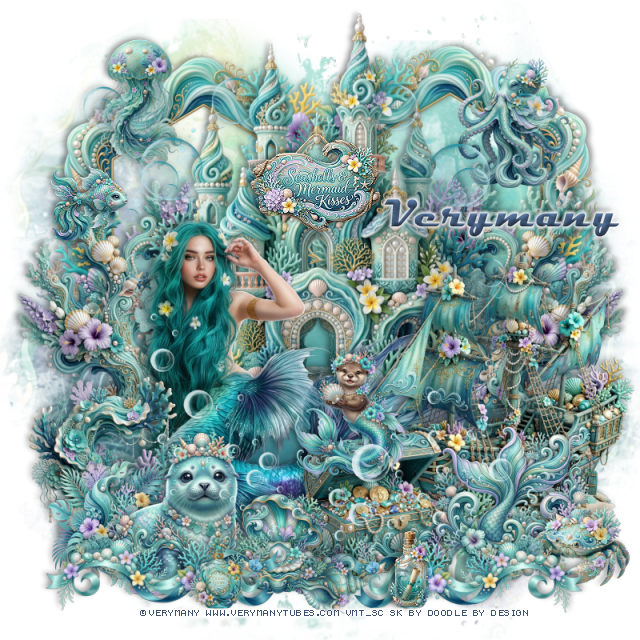
PTU Mermaid Wishes


 This tut was written April 6th, 2026 for those with a basic knowledge of psp. 

I am using the awesome tube ©Verymany
The tube is called Mermaid 35
The tube is NOT included
You need a license to use this tube, please do not use without a license
You can find the tube at Verymany store HERE


I used PSP2020...but any of them should work.
PTU Scrap Mermaid Wishes by Doodle by Design  HERE
You can find all Doodle by Design kits  HERE 
Mask of choice, I used RD Mask 116_4 HERE
Check out the rest of the blog HERE

Font of choice, I used Magneto

Drop shadow as you go is V -2 H 4, 40, 10, or use what you prefer.
Let's get started
*Remember to add your drop shadow as you go along*

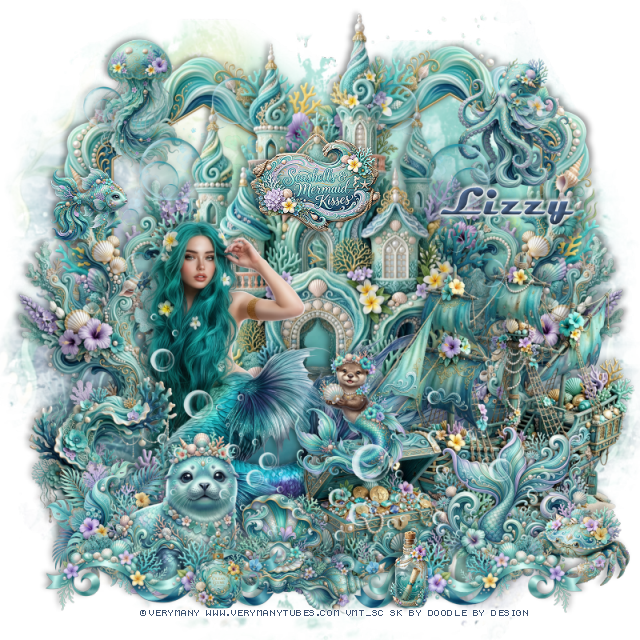
Open a new image 800 x 800, paste paper 3, apply your mask, duplicate,
merge down.

Resize frame 4 to 60%, paste on the upper left, duplicate, mirror.
Resize 160 to 50%, paste in the left frame, duplicate, mirror.
Resize 37 to 75%, paste above the frames in the center.
Resize 9 to 45%, paste on the left below the castle, duplicate, mirror.

Resize the tube to 28%, paste at the bottom of the castle.

Resize 52 to 55%, paste on the bottom right above the tube.
Resize 31 to 30%, paste at the bottom above the ship.
Resize 15 to 30%, paste at the bottom above the chest on the right.
Resize 39 to 20%, paste at the bottom right.
Resize 19 to 20%, paste at the bottom to the left of the chest.
Resize 5 to 25%, paste above the chest.

Resize 10 to 35%, paste on the bottom left.
Resize 6 to 35%, paste at the bottom left.
Resize 33 to 15%, paste on the upper left.
Resize 17 to 25%, paste at the upper left.
Resize 18 to 25%, paste on the upper right.
Resize 86 to 45%, paste at the bottom left above the seal, duplicate, mirror.

Resize 131 to 25%, paste on the bottom left below the seal.
Resize 42 to 25%, paste at the top on the castle.
Resize 24 to 15%, free rotate to the right at 90, paste at the bottom.
Resize 1 and 47 to 15%, paste at the bottom.
Paste 145 at the bottom where you like.
Resize 164 to 50%, paste on the upper left, duplicate, mirror.

Add any other elements that you would like, make it your own.
Always readjust your mask and elements how you like them before you
 merge your tag, resize, sharpen.

Crop your tag to be sure no shadows or lines are on the edges.
 Then add your copyright and name.
That's it

Hope you enjoyed doing my tut 
Tag for Lizzy   


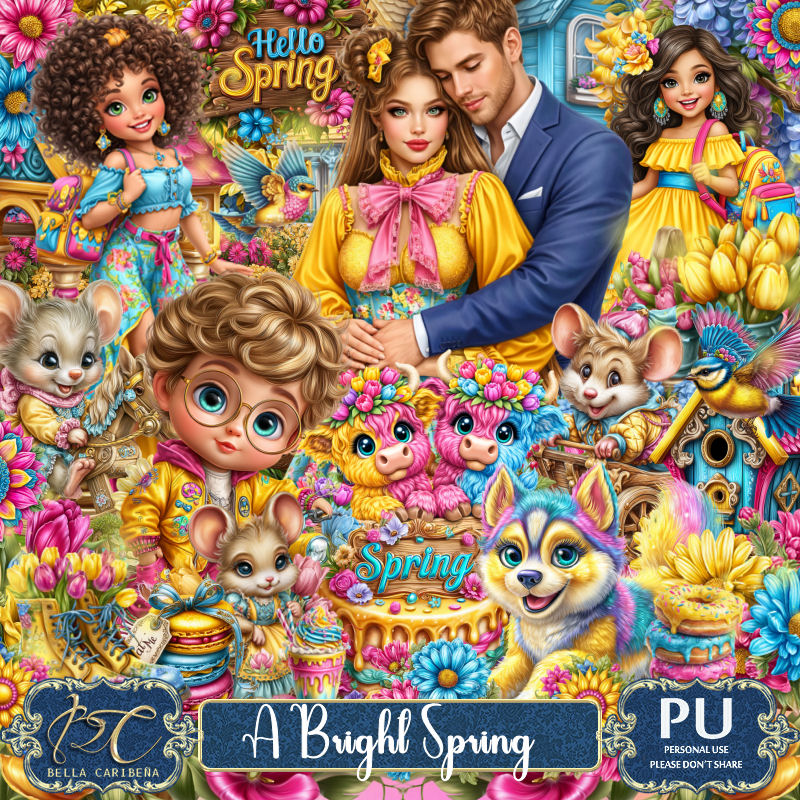
PTU A Bright Spring


  This tut was written April 7th, 2026,  for those with a basic knowledge of psp. 

Awesome Al kit by Bella Caribeña
Everything is included
Read the TOU on how to credit tags

I used PSP2020...but any of them should work.
PTU Scrap A Bright Spring by Bella Caribeña  HERE
Spring Theme
Kit contains 8 Al gen tubes/dolls, 153 elements, 12 papers and 3 masks
You can check out the rest of her store HERE 

Font of choice I used Lovely Butterfly

 Drop shadow as you go is V -2 H 4, 40, 10, or use what you prefer.
Let's get started
*Remember to add your drop shadow as you go along*

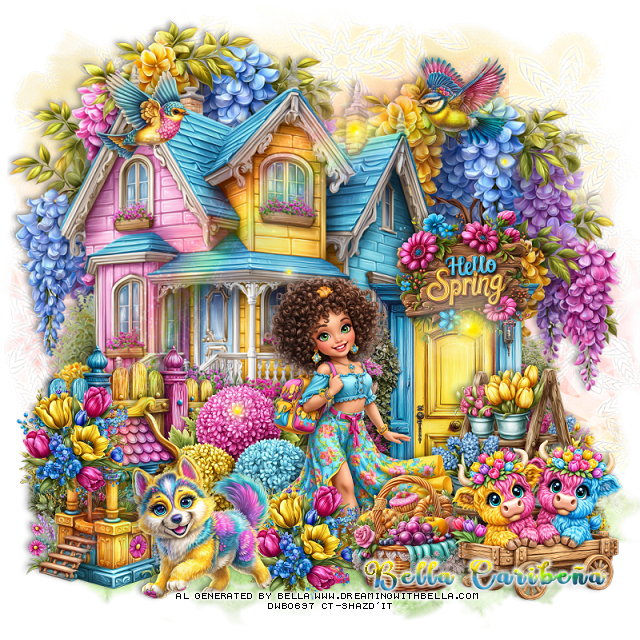
Open a new image 800 x 800, paste mask 2, duplicate, merge down.

Resize 124 to 65%, paste on the bottom right.
Resize 129 to 85%, paste on the upper left below the door.
Resize 148 to 40%, paste on the left above the house.
Resize 120 to 75%, paste on the upper left below the house, duplicate, 
move to the right and down.
Resize 147 to 35%, paste on the right below the cows.

Resize tube 5 to 40%, paste by the door on the left.

Resize 140 to 35%, paste below the tube on the left.
Resize 151 to 35%, paste on the bottom right.
Resize 142 to 40%, paste on the bottom left.
Resize 114 to 30%, paste at the bottom above the tube.
Resize 95 to 25%, paste at the bottom to the right of the tube.
Resize 134 to 20%, paste at the upper right.
Resize 132 to 20%, paste at the upper left.

Resize 84 to 30%, paste on the door.
Resize 77 to 25%, paste on the left above the water fountain, duplicate,
move down by the tube below the dog.
Paste 4 on the top layer where you like.
Mirror 23, paste on the right.

Add any other elements you would like, resize.
Crop your tag to be sure no shadows or lines are on the edges.
 Then add your copyright and name.
That's it

            Hope you enjoyed doing my tut