Monday, April 29, 2024

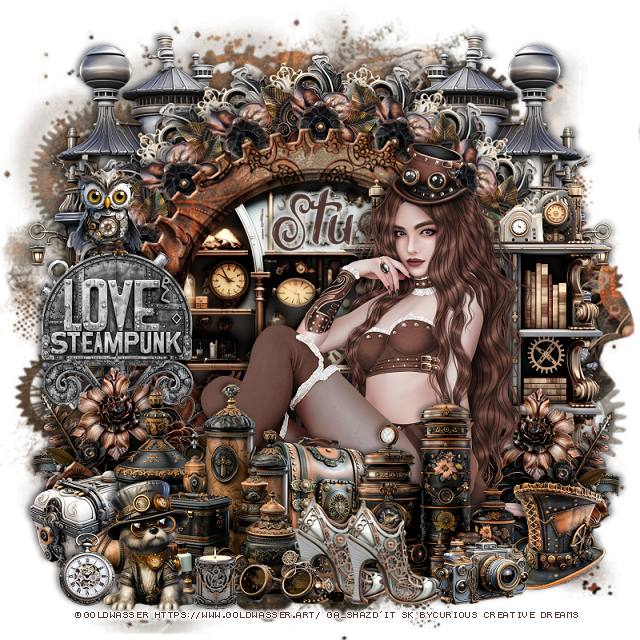
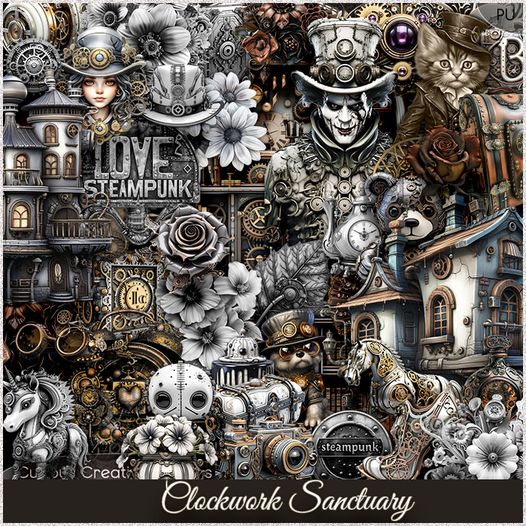
PTU Clockwork Sanctuary


This tut was written  April 28th, 2024 for those with a basic knowledge of psp. 

I am using the awesome tube by ©Goldwasser

The tube is called Fayette
You need a license to use this tube, please do not use without a license.
You can find the tube at Goldwasser store HERE

I used PSP2020...but any of them should work.
PTU Scrap Clockwork Sanctuary by Curious Creative Dreams  HERE 
"Tube is NOT included"
You can find all Curious Creative Dreams kits HERE
 Mask of choice, I used Miz Teeques Mask 261 HERE
Check out the rest of the blog HERE
Filters
Mura Meister Copies-Encircle

 Font of choice, I used Thrones

Drop shadow as you go is V -2 H 4, 50, 10, or use what you prefer.
Let's get started
*Remember to add your drop shadow as you go along*

Open a new image 800 x 800, paste paper 18 first, apply the mask,
then paste paper 15, apply the mask again.

Resize element 93 to 25%, apply Mura Meister Copies-Encircle, first 
3 numbers on 20, 55, 55, paste.
Resize element 46 to 25%, apply Mura Meister Copies-Encircle, first 
3 numbers on 16, 55, 55, paste.
Resize frame 10 to 80%, paste.
Resize element 83 to 50%, paste in the frame.
Resize element 86 to 50%, paste behind the flower circles on the left,
duplicate, mirror.

Resize your tube to 40%, paste on the right.

Resize element 45 to 40%, paste below the tube on the left, duplicate, mirror.
Resize element 22 to 45%, paste at the bottom left above the tube.
Resize element 79 to 50%, paste on the right below the flower.
Resize element 67 to 20%, paste on the left on the frame.
Resize element 26 to 40%, paste at the bottom right above the tube.
Resize element 23 to 30%, paste at the bottom below the bottles.
Resize element 24 to 22%, paste at the bottom right.
Resize element 16 to 25%, paste at the bottom.

Resize element 88 to 20%, paste at the bottom left below the bottles.
Resize element 78 to 10%, paste at the bottom left.
Resize element 90 to 15%, paste at the bottom, duplicate, move over.
Resize element 103 to 13%, paste at the bottom.
Resize element 106 to 20%, paste at the bottom left.
Resize element 82 to 10%, paste at the bottom.
Resize element 105 to 13%, paste on the sign on the left.

Add any other elements that you would like, make it your own.
Always readjust your mask and elements how you like them before you
 merge your tag, resize, sharpen.

Crop your tag to be sure no shadows or lines are on the edges.
 Then add your copyright and name.
That's it

Hope you enjoyed doing my tut.    

Sunday, April 28, 2024

PTU Spa


This tut was written April 28th, 2024 for those with a basic knowledge of psp. 

I am using an awesome AI generated tube by  AI-Tamara Scrap Vision

The tube is included in the kit
Read the TOU on how to credit your tags 

I used PSP2020...but any of them should work.
PTU Scrap Spa by Luna Bella  HERE HERE HERE
Spa theme kit. 
82 elements and 10 papers. This kit is for personal use Only
Mask of choice, I used Vivenne's Digital Tagging Mask 12 HERE
Check out the rest of the blog HERE
Filters 
Mura Meister Copies-Encircle.

Font of choice, I used Kiss Boom

Drop shadow as you go is V -2 H 4, 40, 10, or use what you prefer.
Let's get started
*Remember to add your drop shadow as you go along*

Open a new image 800 x 800, paste element 5, apply your mask.
Paste element 10 above the mask layer.

Resize element AlEl 19 to 25%, apply Mura Meister Copies-Encircle,
first 3 numbers on 10, 65, 65, paste.
Resize element AlEl 2 to 85%, paste.

Resize the tube to 25%, paste above the tub.

Resize element AlEl 5 to 35%, paste at the bottom right.
Resize element AlEl 36 to 40%, paste at the top, move to the right, duplicate,
move up and to the left.
Resize element AlEl 33 to 20%, paste at the bottom right.
Resize element AlEl 18 to 20%, paste at the bottom.

Resize element 38 to 50%, paste to the left and below the tube.
Resize element AlEl 12 to 50%, paste on the right below the tub, duplicate,
mirror.
Resize element 41 to 25%, paste at the bottom.
Resize element AlEl 24 to 20%, paste at the bottom left.
Resize element 40 to 15%, paste at the bottom.
Resize element AlEl 16 to 30%, paste at the bottom left below the jar.
Resize element 44 to 15%, paste at the bottom.
Resize element AlEl 6 to 15%, paste on the left where you like, duplicate, 
mirror.
Paste element 29 on the mask how you like.

Add any other elements you would like, resize.
Crop your tag to be sure no shadows or lines are on the edges.
 Then add your copyright and name.
That's it

Hope you enjoyed doing my tut 

Saturday, April 27, 2024

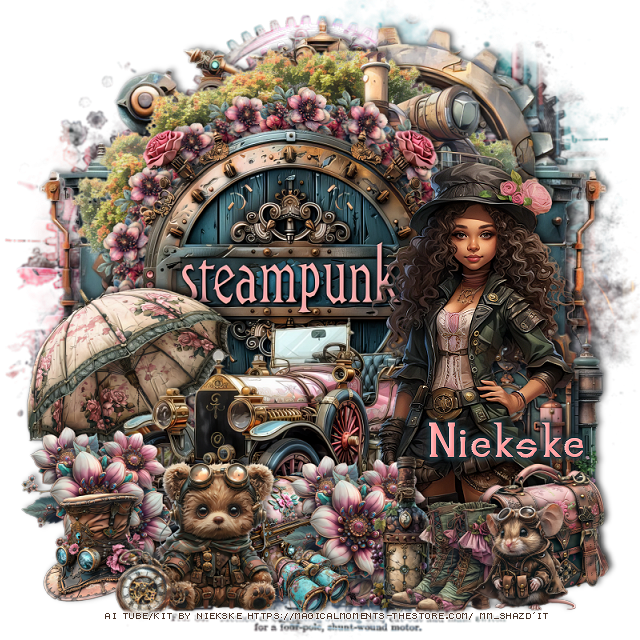
PTU Springful Steampunk


 This tut was written April 27th, 2024 for those with a basic knowledge of psp. 

AI generated tubes and kit by Niekske
The tubes are included in the kit
Read the TOU on how to credit your tags

I used PSP2020...but any of them should work.
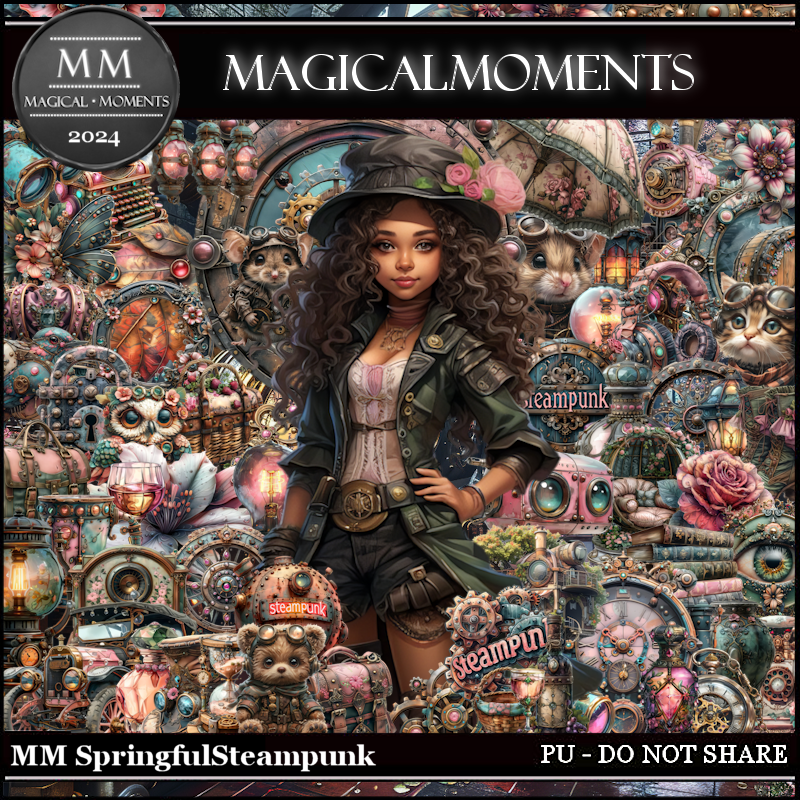
PTU Scrap Springful Steampunk by Magical Moments HERE  HERE
Mask of choice, I used Vivienne's Digital Tagging Mask 70 HERE  
Check out the rest of the blog HERE
Filters
Mura Meister Copies-Encircle

Font of choice, I used Jack of Gears

Drop shadow is V -2 H 4, 50, 10, color Black or use what you prefer.
Let's get started
*Remember to add your drop shadow as you go along*

Open a new image 800 x 800, resize paper 4 to 80%, apply your mask.

Resize element 21 to 40%, paste.
Resize element 53 to 10%, apply Mura Meister Copies-Encircle, first 
3 numbers on 18, 50, 50, paste behind the steampunk sign.
Resize element 59 to 60%, paste below the flower circle.
Resize element 65 to 70%, paste below the tree.
Resize element 4 to 75%, paste on the bottom layer.

Resize your tube to 25%, paste to the right.

Resize element 56 to 40%, paste behind the tube on the left.
Resize element 69 to 30%, paste behind the tube on the right.
Resize element 58 to 20%, paste at the bottom above the tube.
Resize element 20 to 15%, paste at the bottom right.
Resize element 38 to 20%, paste at the bottom above the tube,
duplicate, move to the left above the car.
Resize element 34 to 20%, paste at the bottom behind the shoes.

Resize element 40 to 10%, paste at the bottom.
Resize element 43 to 15%, mirror, paste at the bottom right.
Resize element 47 to 20%, paste at the bottom left.
Resize element 54 to 10%, free rotate to the left at 20, paste at the bottom
by the bear.
Resize element 5 to 15%, paste at the bottom left behind the bear.
Resize element 66 to 20%, paste at the bottom above the car.
Resize element 19 to 27%, mirror, paste on the left below the car.

Add any other elements that you would like, make it your own.
Always readjust your mask and elements how you like them before you
 merge your tag, resize, sharpen.

Crop your tag to be sure no shadows or lines are on the edges.
 Then add your copyright and name.
That's it

Hope you enjoyed doing my tut.