
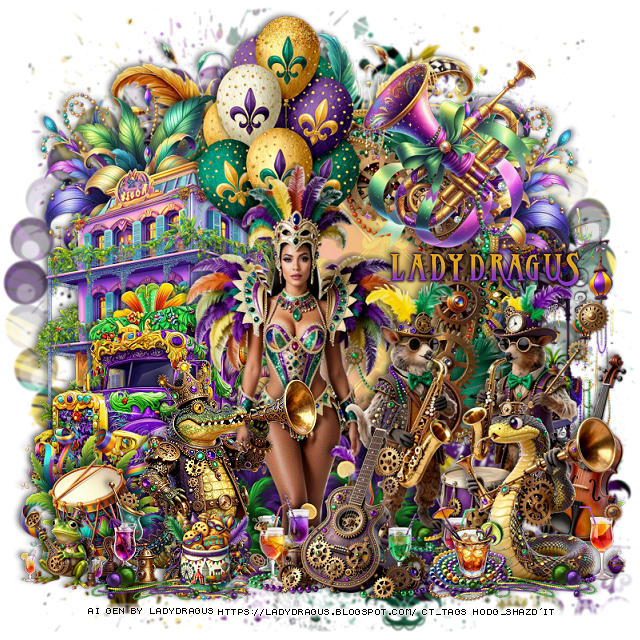
This tut was written February 14th, 2026 for those with a basic knowledge of psp.
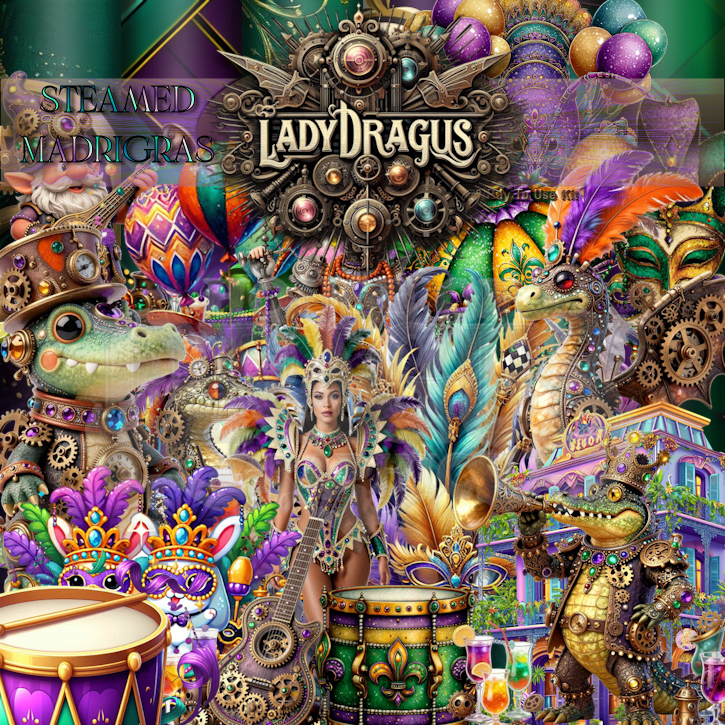
I am using the Awesome Al kit by LadyDragus
Steampunk and Mardi Gras mixed together
Al tubes are included gen by LadyDragus
Read the TOU on how to credit your tags
I used PSP2020...but any of them should work.
Drop shadow as you go is V -2 H 4, 40, 10, or use what you prefer.
Let's get started
*Remember to add your drop shadow as you go along*
Open a new image 800 x 800, paste paper 14, apply your mask, resize.
Resize frame 7 to 60%, paste.
Resize frame 6 to 60%, paste on the frame.
Resize frame 8 to 60%, paste on the frame, merge the frames.
Draw around the frame, add a new layer, fill with #f5da9f.
Resize paper 13 to 35%, paste, change the blend mode to Soft Light.
Resize 10 to 40%, paste on the frame at the upper left, duplicate,
mirror, move below the frame.
Resize 37 to 80%, paste at the top below the flowers.
Resize 25 to 50%, paste on the bottom left above the flowers.
Resize 27 to 55%, paste on the left below the bus.
Resize tube 2 to 70%, paste above the bus, erase the feet.
Resize 60 to 30%, paste below the tube on the bottom left, duplicate,
mirror.
Resize 17 to 30%, paste on the left.
Resize 39 to 45%, paste at the top below the tube.
Resize 110 to 35%, paste at the upper right.
Resize 19 to 40%, mirror, paste at the bottom above the tube.
Resize 98 to 35%, mirror, paste at the bottom on the right.
Resize 15 to 35%, paste at the bottom.
Resize 34 to 15%, paste at the bottom by the gator.
Resize 36 to 15%, paste at the bottom by the snake.
Resize 113 to 50%, paste on the right behind the snake.
Resize 92 to 45%, paste on the right below the frame.
Resize 100 to 15%, paste on the bottom left.
Resize 61 to 30%, paste at the bottom left, duplicate, mirror.
Add any other elements that you would like, make it your own.
Always readjust your mask and elements how you like them before you
merge your tag, resize, sharpen.
Crop your tag to be sure no shadows or lines are on the edges.
Then add your copyright and name.
That's it
Hope you enjoyed doing my tut

Hello, on this Sunday, I am taking the liberty of addressing these few words to tell you the pleasure I had in crossing your beautiful universe. I found it bright, inspiring and of great elegance, in your image, I allowed myself to add myself with respect, to invite myself among your friends, driven by the sincere desire to exchange and share around our respective sensitivities, it would be a real pleasure for me to welcome you also on my pages, if the heart tells you, I wish you a very sweet Sunday, full of serenity and beautiful inspirations.
ReplyDeleteThe Silent Soul Feather🪶